Avoid CBAM Fines for Compliance Officers: 7 Records to Keep 4 Years

Avoid CBAM Fines for Compliance Officers: 7 Records to Keep 4 Years
You need seven categories of CBAM records on file, and you need to keep them until the end of the fourth year after the declaration year. That is not a suggestion. National competent authorities can request any of it, sometimes with little or no advance notice, and gaps in the paper trail translate directly into certificate shortfalls, fines, or a drawn-out audit that eats weeks of your team’s time.
TL;DR:
- Keeping all seven CBAM record categories until four years after the declaration year is mandatory, and missing any one can lead to audits, fines, or certificate shortfalls.
- The record retention period starts at the end of the declaration year, not the import date, which frequently causes compliance teams to miscalculate their storage timeline.
- Auditors cross-reference customs data against the CBAM Registry, making internal reconciliation essential to identify discrepancies before an official inspection.
- Verification reports are required only when actual emissions are reported; default values do not need a verifier’s report but still require proper documentation of their application.
- Building a structured, integrated record-keeping system aligned with contracts, version control, and quick retrieval procedures ensures successful audit outcomes.
Table of Contents
- What Counts as CBAM Record Keeping: The Seven Document Categories
- How the CBAM Record Retention Clock Actually Works
- What an NCA Audit Actually Looks Like
- Building a Record-Keeping System That Survives an Audit
- Verification Reports, Default Values, and Edge Cases
- How CarbonOps Maps Your Filing to the Records You’ll Need Later
- A Compliance Officer’s Priority Checklist for This Quarter
- Turn Your Import Data Into a Filing-Ready CBAM Declaration
- Primary Sources and Templates Worth Bookmarking
- Sources
What Counts as CBAM Record Keeping: The Seven Document Categories
CBAM documentation isn’t one file. It’s seven separate categories, and an auditor will ask for each one individually rather than accepting a single summary spreadsheet. Build your system around these from day one.
- Customs declaration data. CN code, net mass, country of origin, EORI number, and the release or clearance date for every shipment. These are the fields customs authorities reconcile first against your CBAM declaration.
- Supplier embedded emissions data. Direct and indirect emissions per functional unit, the production period covered, and the measurement basis (metered, estimated, or calculated). Without the functional unit and production window, a verifier cannot validate the figure later.
- Verification reports. The verifier’s identity and accreditation number, the scope of what was checked, the verified emissions figures, and notes from any site visit. Under Article 6(6) of Regulation (EU) 2023/956, these reports are the primary evidence behind any actual-emissions claim, and accredited verifiers issue them as the record an NCA trusts over your own math.
- Certificate purchase and surrender confirmations. Transaction references from the CBAM Registry showing when certificates were bought, at what price, and when they were surrendered against a declaration.
- Article 9 deduction documentation. Legally binding evidence, invoices, receipts, or a foreign carbon-pricing scheme’s own certificate, proving an equivalent carbon price was already paid abroad on the same goods.
- Internal compliance calculations. The workings that connect a specific import line to the emissions figure reported on the declaration, including any adjustments or conversions your team applied.
- Correspondence and contractual clauses. Emails, data-request logs, and supplier contract language that tie the emissions figures you received to the exact shipments they cover.
Miss any one category and you’re reconstructing it from memory during an audit window that typically runs days, not weeks.
How the CBAM Record Retention Clock Actually Works
The retention period runs from the declaration year, not the import date. That distinction trips up more compliance teams than any other part of CBAM record keeping, because it’s counterintuitive: a shipment that clears customs in January doesn’t start its own four-year clock. The clock starts when the calendar year in which the corresponding declaration was filed ends.
Three examples make this concrete:
- Goods imported in March 2026, declared in the 2026 annual declaration. The declaration year is 2026, so the retention period runs through December 31, 2030.
- Goods imported in December 2026, but the declaration covering that quarter is filed and finalized in early 2027. If the declaration itself is attributed to the 2027 reporting cycle, retention extends to December 31, 2031, not 2030. This is exactly where teams miscalculate, because they anchor to the shipment date instead of the filing year.
- A correction filed in 2028 against a 2026 declaration. The original declaration year still governs; you retain both the original and corrected records through the end of 2030, plus whatever correction-window documentation the Commission’s implementing guidance requires you to keep alongside it.
If you import into the United Kingdom’s own carbon border regime rather than, or in addition to, the EU mechanism, don’t assume the same clock applies. UK guidance sets retention at six years, two years longer than the EU standard, and attaches a fixed penalty of £500 for record-keeping failures. Check your specific NCA’s published guidance before you set a single retention policy across multiple jurisdictions.
What an NCA Audit Actually Looks Like
National competent authorities don’t wait for you to volunteer information. They cross-reference customs transmission data against what’s logged in the CBAM Registry, and mismatches between the two are usually what triggers a closer look in the first place. The Registry’s O3CI and DRMC modules let operators upload emissions data and let declarants and verifiers pull it back for reconciliation, which means an inspector can often see discrepancies before they even contact you.
Pro Tip: Run your own reconciliation between customs data and your CBAM Registry entries before year-end. If the numbers don’t match internally, an NCA will find the same gap, and you want to fix it on your own timeline, not theirs.
When contacted, expect requests in this order:
- Customs declaration data for the flagged import lines, first
- Supplier emissions data and any verification reports tied to those lines
- Certificate purchase and surrender confirmations from the relevant registry period
- Correspondence showing how the reported figures were derived
Response windows are short. Missing documentation doesn’t just slow the audit; it can force you into a certificate shortfall position, where the authority assumes higher default emissions in the absence of proof, which means buying more certificates retroactively plus potential penalties. If an NCA contacts you, acknowledge the request in writing immediately, assign one internal owner for the response, and pull only verified, dated records. Never send a reconstructed estimate as if it were an original document.
Building a Record-Keeping System That Survives an Audit
The teams that pass audits cleanly aren’t the ones with the most paperwork. They’re the ones who built a data model before the first shipment arrived, not after the first NCA letter. Start with the minimum fields every import line needs: CN code, mass, country of origin, supplier ID, emissions figure and its source (actual or default), verification report reference if applicable, and the certificate transaction ID once surrendered.
That data model only works if suppliers actually deliver structured information on time. Build the requirement into the contract itself rather than chasing it by email every quarter. Practical guidance in the industry consistently points to the same fix: embed a data clause in the purchase agreement specifying format, frequency, and the functional unit the supplier must report against, so you’re not reconstructing figures under deadline pressure. A CBAM Declaration Template Guide is a useful starting point for mapping supplier fields correctly, and guidance on securing structured supplier data walks through what those contract clauses should actually say.
On the systems side, three things matter more than any specific software choice:
- Integration with what you already run. Whether that’s an accounting platform, a procurement system, or a straightforward CSV export into the CBAM Registry, the goal is one data flow, not three parallel spreadsheets.
- Versioning and indexing by declaration year. Every correction, every recalculation, needs a timestamp and a version number, because an auditor will ask which figure was final and when it changed.
- A single retrieval procedure. One person, or one clearly documented process, should be able to produce any of the seven document categories within hours, not days. A practical automation guide covers how far that retrieval process can realistically be automated versus where manual review still belongs.
Firms outside the CBAM space that handle audit-heavy compliance work reach the same conclusion: a documented evidence management approach beats an ad hoc folder structure every time an inspector actually shows up.
Verification Reports, Default Values, and Edge Cases
Reporting actual emissions requires an accredited verifier’s report; reporting EU default values does not, but it doesn’t excuse you from keeping records either. The two paths diverge on documentation type, not on documentation obligation.
- When actual emissions are reported, you need a full verification report: verifier accreditation, scope of review, verified figures, and site visit notes where applicable, since these reports serve as the primary evidence behind the claim.
- When default values are used instead, there’s no verification report to retain, but you still need proof of which default figure applied, the CN code and country combination that determined it, and the calculation showing how it was applied to your import volume.
- Inward processing arrangements and goods that re-enter after processing outside the EU carry their own data flows through O3CI, and correction windows for both actual and default submissions follow the timelines the Commission’s guidance on emissions calculation methods sets out.
How CarbonOps Maps Your Filing to the Records You’ll Need Later
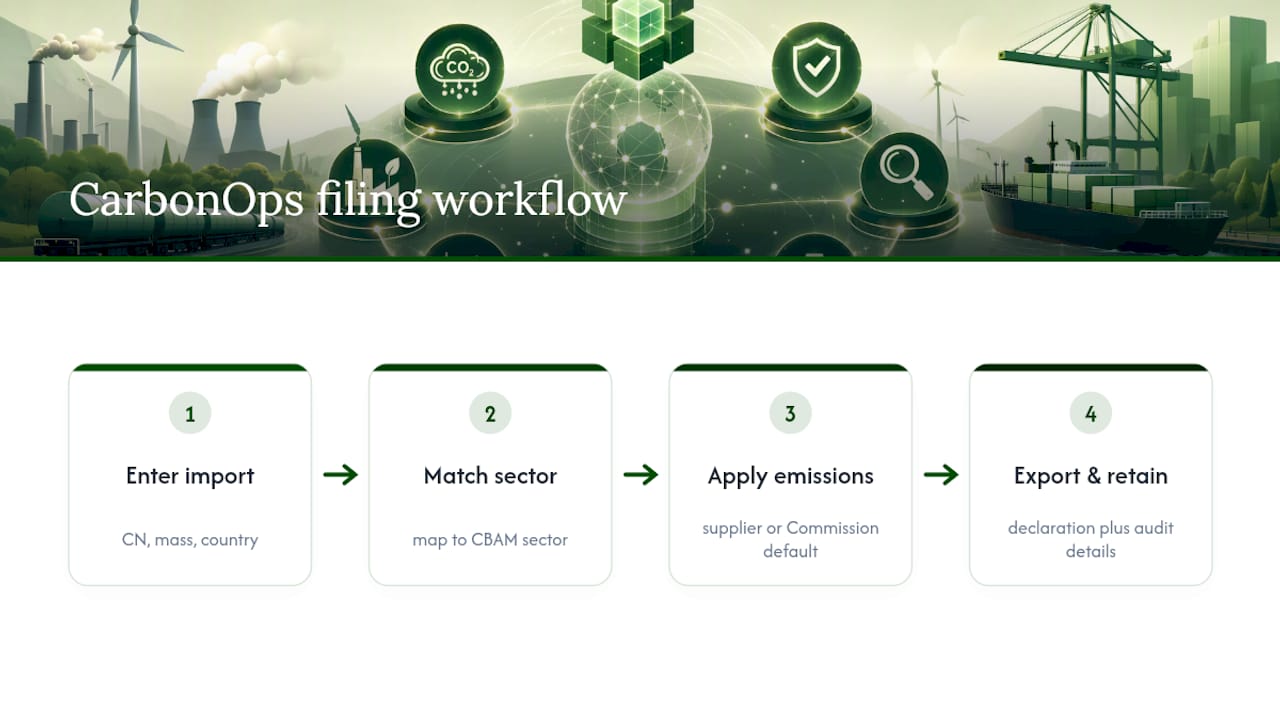
A filing-ready declaration and an audit-ready record set are the same output, built once instead of twice. CarbonOps’ workflow reflects that: you enter each import with its CN code, mass, and country of origin; the system matches it to the correct CBAM sector; it applies supplier-specific emissions where you have them and the Commission’s published default values where you don’t; then it exports a declaration formatted for the CBAM Registry.
That export naturally carries the per-line detail an auditor asks for first: CN code, emissions source, and the default-value basis when one applies, retained alongside your filing history rather than scattered across separate systems.
A Compliance Officer’s Priority Checklist for This Quarter
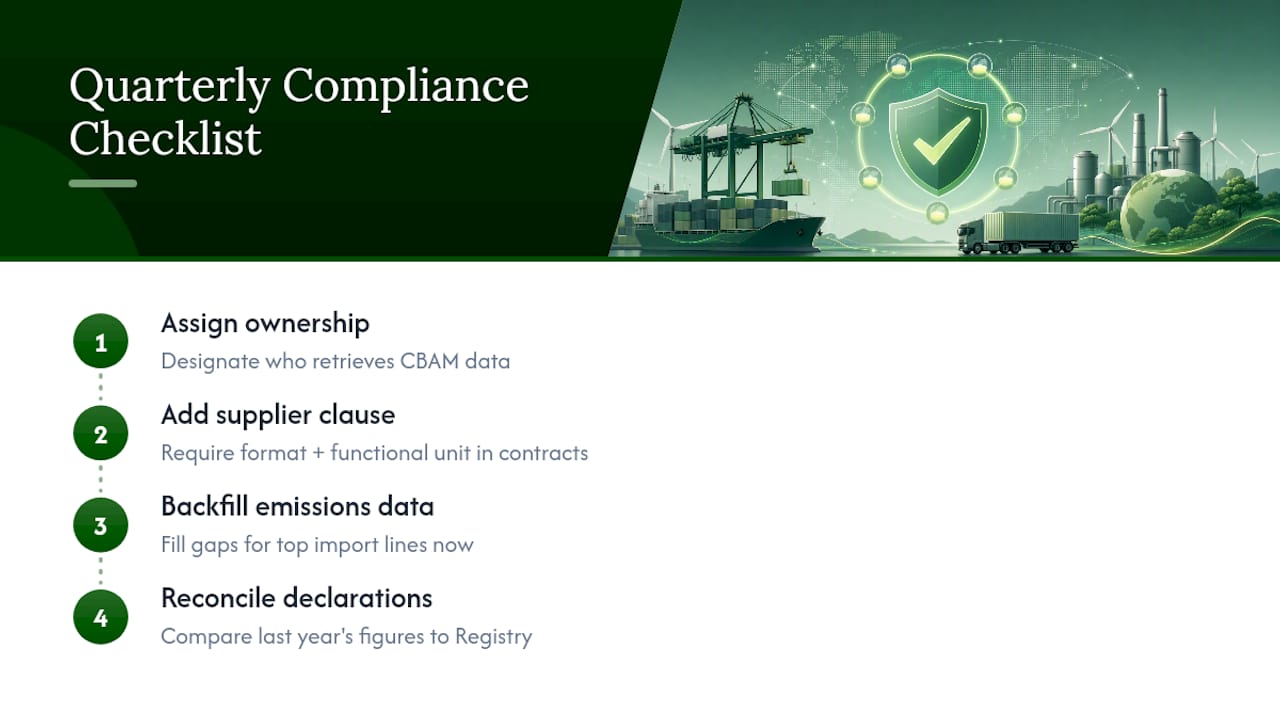
If your CBAM records aren’t audit ready yet, fix three things before the next filing deadline. First, add a supplier data clause to every active purchase contract specifying format and functional unit. Second, backfill missing emissions data for your highest-volume import lines now, not after a request lands. Third, reconcile last declaration year’s figures against your CBAM Registry entries yourself.
Most gaps trace back to one root cause: nobody owned the retrieval process. Fix that ownership question before you fix anything else.
— Jake Stevens
Turn Your Import Data Into a Filing-Ready CBAM Declaration
Skip the procurement cycle entirely: no platform deployment, no sensor rollout, no months-long onboarding before your first filing. Enter shipment data, have the system match CN codes and apply supplier or default emissions values, and receive a declaration formatted for submission, with a per-line audit trail retained alongside your filing history.
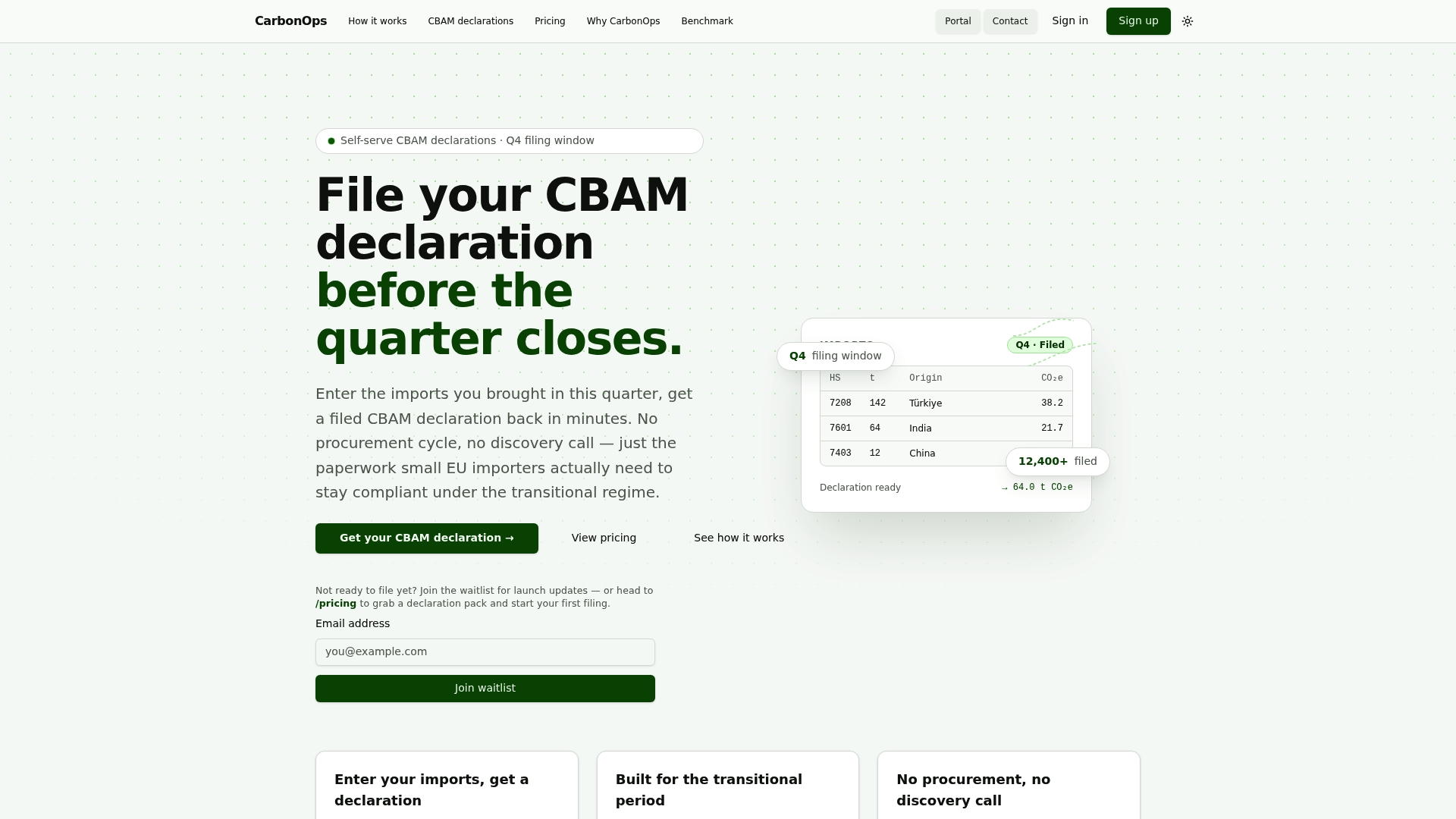
If you’re staring at a filing deadline right now, the fastest path is to file your CBAM declaration directly and see the output before committing to anything larger. For teams filing every quarter, the pricing page breaks down single and multi-pack options with no subscription attached, so you pay for the filings you actually need.
Primary Sources and Templates Worth Bookmarking
Keep these close: the CBAM Registry and reporting guidance for O3CI and DRMC functionality, the CBAM verification guidance for accredited verifier requirements, UK-specific record-keeping rules if you import into that market, and the CBAM reporting timeline for upcoming deadlines.