OneTrust ESG Alternatives for EU CBAM Filings

OneTrust ESG Alternatives for EU CBAM Filings
If you’re searching for OneTrust ESG alternatives to handle EU CBAM declarations, the direct answer is this: you don’t need a broad ESG platform. You need a filing-ready CBAM declaration tool that converts your import data into a submission the EU CBAM Registry will accept. CarbonOps does exactly that, in four validated steps, with no platform deployment and no subscription lock-in.
The immediate next step: pull your HS/CN-coded import manifest, aggregate mass per shipment, and gather whatever supplier emissions files you have. Then request a sample conversion to see a matched, export-ready declaration before you commit.
Table of Contents
- What does a CBAM declaration tool actually need to do?
- How CarbonOps handles the end-to-end CBAM workflow
- How to evaluate any CBAM declaration tool before you buy
- What does a CBAM filing actually cost, and how long does it take?
- Self-serve software, managed service, or spreadsheets: which fits your situation?
- Key Takeaways
- The mistake most importers make before their first CBAM filing
- Get your first CBAM declaration filed with CarbonOps
- Regulatory sources and useful links for CBAM filers
What does a CBAM declaration tool actually need to do?
Not every tool marketed as an ESG compliance solution can produce a filing-ready CBAM declaration. The gap between “ESG reporting software” and “CBAM Registry-compatible export” is significant, and buying the wrong category costs you weeks.
Required outputs every tool must produce:
- A CBAM Registry-compatible export (XML or PDF) matching the Declarant Portal’s accepted upload formats
- A per-declaration audit trail with a history of assumptions, including which lines used Commission default emissions versus supplier-specific figures
- A PDF declaration retained in filing history for audits
Required inputs the tool must handle:
- HS/CN codes, mass in tonnes, and country of origin per shipment line
- Supplier-level embedded emissions data, with a documented fallback to Commission-published default values when supplier data is missing
- The Commission’s Excel communication template, containing a
Summary_Communicationworksheet, is the recommended format for supplier-to-importer data exchange
Regulatory touchpoints you cannot skip:
- Authorised CBAM declarant status is required for most importers from January 1, 2026; importers below the 50-tonne annual single-mass threshold for certain goods may qualify for an exemption
- Annual CBAM declarations are due by September 30 following the reporting year.
- Portal access runs through UUM&DS authentication, with domain options depending on the Member State’s choice
Security and data retention:
- Third-country operator data (O3CI) must be handled with confidentiality
- Data must be retained long enough to satisfy audit requests from customs authorities
- Employee delegation within UUM&DS must be documented and controlled
How CarbonOps handles the end-to-end CBAM workflow
CarbonOps is built around one job: turning a batch of imported goods into a declaration the CBAM Registry will accept. The workflow has four steps, each of which maps directly to a regulatory requirement.
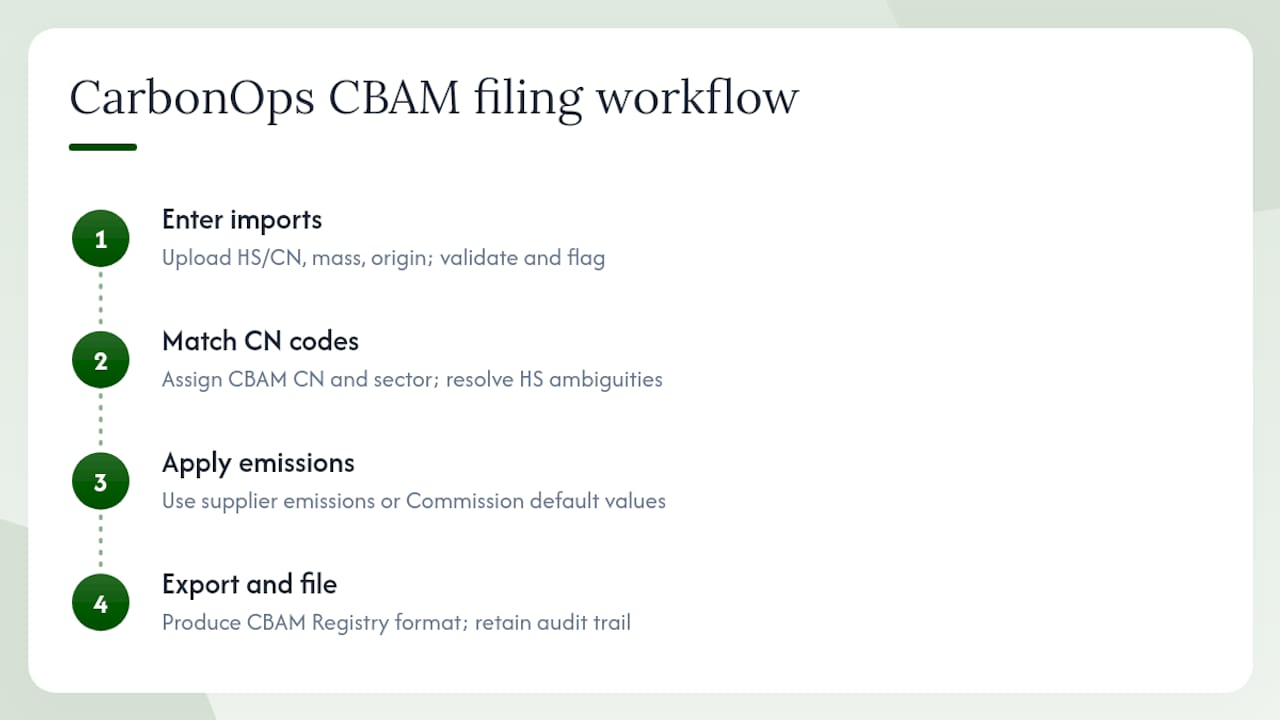
Step 1 — Enter imports. You upload each shipment with its HS/CN code, mass, and country of origin. CarbonOps validates the supplier data and maps it to the CBAM-covered goods it applies to, flagging any lines with missing or inconsistent data before you go further.
Step 2 — Match CN codes. Every line is matched to its CBAM CN code and sector. This is where most manual processes break down: a steel coil and a steel pipe share similar HS codes but sit in different CBAM sectors with different default emissions. CarbonOps handles that distinction automatically, so you can see exactly which imports are in scope and what emissions data each one still needs.
Step 3 — Apply emissions. Where supplier-specific embedded emissions are available, CarbonOps uses them. Where they’re missing, it applies the Commission’s published default values per CN code and country, so every line resolves to a complete, reviewable figure. Nothing is left blank.
Step 4 — Export and file. The completed declaration is exported in the format the EU CBAM Registry expects, retained with your filing history, and ready for the audit trail. The CBAM Registry’s DRMC module monitors imports, emissions, and certificates — your export needs to match that structure exactly, and CarbonOps produces it that way.
For supplier data intake, CarbonOps supports the Commission’s Excel communication template format, reducing the back-and-forth that typically adds days to a filing cycle. Optional EORI linking and CSV/Excel imports let you connect the tool to your existing bookkeeping or accounting records.
Pro Tip: Prioritize supplier outreach for your top five CN codes by mass before you start a filing. Getting actual embedded emissions for your highest-volume lines cuts your reliance on default values, which are conservative and can overstate your carbon cost. Default values are a valid fallback, but they’re not a strategy.
How to evaluate any CBAM declaration tool before you buy
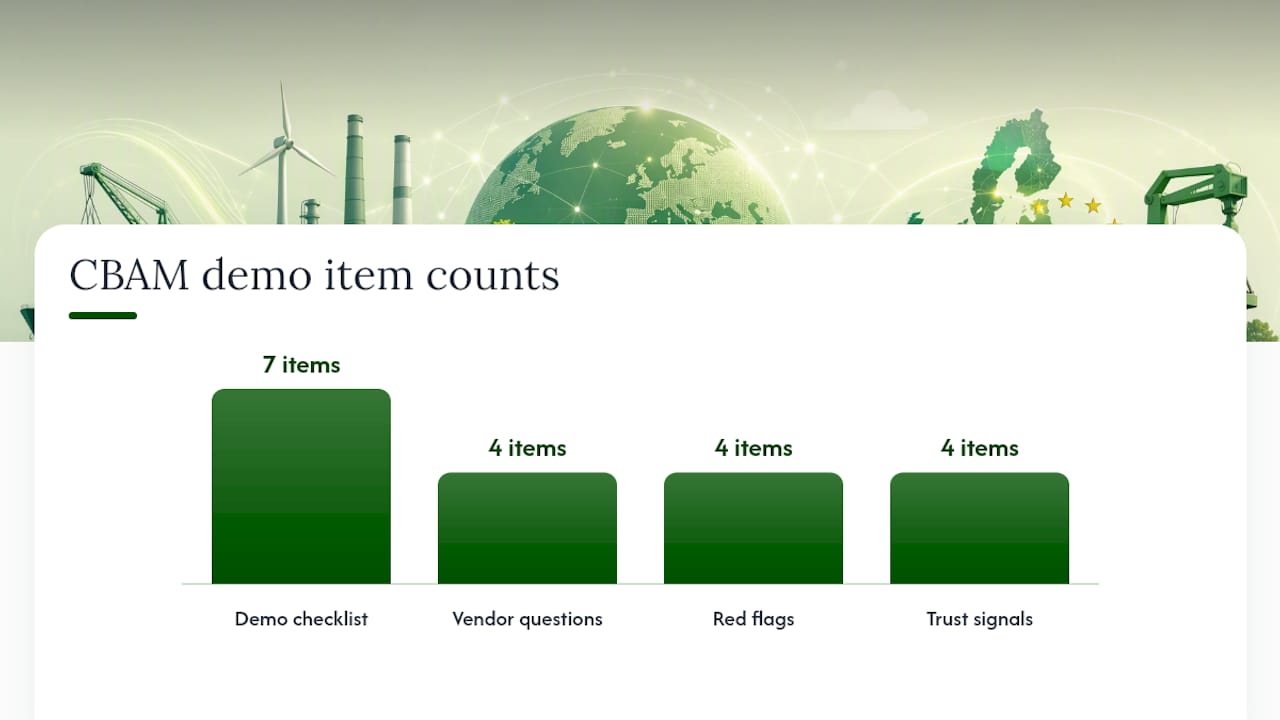
Run every vendor through this checklist during a demo. If they can’t show you the output live, that’s the answer.
Checklist — validate during the demo:
- Ask the vendor to export a sample declaration and open it. Does it contain the exact fields the CBAM Registry requires? Does it match the XML schema (XSD) the Declarant Portal accepts?
- Confirm the tool generates an auditable PDF with a history of which lines used supplier emissions versus Commission defaults.
- Test the supplier data import: upload the Commission’s Excel communication template and verify the tool reads the
Summary_Communicationworksheet correctly. - Check whether the tool can flag lines that are out of CBAM scope, not just lines that are in scope.
- Ask how CN/HS mapping is maintained when the Commission updates Annex I. Is it automatic, or do you have to update it manually?
Questions to ask the vendor directly:
- How do you handle missing supplier emissions? Can you show me a declaration where defaults were applied and how they’re labeled in the audit trail?
- Which UUM&DS domain options do you support — CBAM Domain, Customs Domain, or both?
- What happens if the Registry rejects the export on validation? Do you refile, and is there a cost?
Red flags:
- No CBAM Registry-compatible export (XML or PDF matching the portal’s XSD)
- No audit trail distinguishing supplier emissions from Commission defaults
- No ability to import the Commission’s Excel template
- Vague answers about CN mapping maintenance
Trust signals:
- A sample export you can open and inspect before purchase
- A clear audit-history interface showing assumption logs
- Documented handling of Commission default emissions with source references
- Training materials or walkthrough videos covering the full filing cycle
What does a CBAM filing actually cost, and how long does it take?
Timeline — what drives it:
- Clean supplier data with embedded emissions for all lines: 1–3 business days from data submission to export-ready declaration
- Missing supplier emissions requiring Commission defaults: add 1–2 days for validation and review
- CN mapping errors or misclassified goods: potentially weeks if you’re resolving them manually without a tool
The annual deadline for CBAM declarations is fixed in the regulatory calendar. If you’re filing for the first time, assume the CN mapping and supplier outreach steps will take longer than expected.
Pricing models you’ll encounter:
- Per-declaration one-off: pay once per filing, no subscription. Best for importers with one or two filings per year.
- Multi-pack (5 or 15 declarations): lower per-unit cost, useful for accountants handling multiple clients or importers with quarterly and annual filings across multiple entities.
- Managed-service uplift: a vendor handles data collection and validation on your behalf, at a higher price point. Useful when your supplier network is large or your internal data management capacity is limited.
What drives cost upward: high shipment volume, multiple CN codes requiring individual emissions matching, and data cleansing when supplier records are incomplete.
What to ask for in any proposal:
- A sample conversion before you pay for a full declaration
- A delivery SLA for urgent filings (especially relevant near the September 30 deadline)
- A clear policy on what happens if the Registry export fails validation
Sustainable business practices in procurement, including ESG-aligned vendor selection, increasingly factor into how importers choose compliance partners. That’s worth keeping in mind when you’re evaluating any CBAM tool for a multi-year relationship.
Self-serve software, managed service, or spreadsheets: which fits your situation?
| Importer profile | Recommended approach | Why |
|---|---|---|
| Below the annual mass threshold, with few CN codes | DIY spreadsheet with Commission defaults | Low complexity; tool cost may exceed filing cost |
| Moderate import volume with clean supplier data and limited CN codes | Self-serve CBAM software (one-off or 5-pack) | Fast, audit-ready, no subscription required |
| High import volume across multiple sectors with complex supplier networks | Self-serve with pack pricing or managed uplift | Volume justifies pack pricing; managed option reduces internal burden |
| Accountant filing for multiple importer clients | Multi-pack (15 declarations) | Per-unit cost drops significantly; single workflow for all clients |
| First-time filer, unfamiliar with CN mapping | Self-serve with onboarding support | Guided CN mapping prevents classification errors that trigger audits |
The 50-tonne threshold matters: importers below it for certain goods may be exempt from authorisation requirements, which changes the filing calculus entirely. Check your annual tonnage per CN code before investing in any tool.
Key Takeaways
CarbonOps is the most direct path from raw import data to a filing-ready EU CBAM declaration, with no subscription and no platform deployment required.
| Point | Details |
|---|---|
| Filing-readiness is non-negotiable | Your tool must export in the exact format the CBAM Registry accepts — XML or PDF matching the Declarant Portal’s XSD. |
| Supplier data drives cost and risk | Lines missing supplier emissions fall back to Commission defaults, which are valid but conservative; prioritize outreach for high-volume CN codes. |
| Annual deadline is September 30 | Authorised CBAM declarants must file by September 30 following the reporting year; start data collection at least 4 weeks before. |
| Pricing model should match your volume | One-off declarations suit occasional filers; multi-packs (5 or 15) suit accountants or importers with quarterly and annual filings. |
| CarbonOps | Four-step self-serve workflow: enter imports, match CN codes, apply emissions, export for the CBAM Registry — per-declaration pricing, no lock-in. |
The mistake most importers make before their first CBAM filing
The most common filing problem isn’t a software problem. It’s a data problem that software exposes. Importers arrive at the filing stage with HS codes that haven’t been mapped to CBAM CN codes, supplier contacts who’ve never heard of embedded emissions, and no documented basis for the figures they’re about to submit. The four-step workflow CarbonOps uses forces that data problem to the surface at step one, before it becomes an audit problem at step four. CN mapping errors and missing supplier emissions are the two bottlenecks that turn a three-day filing into a three-week scramble. Catching them early, with a tool that flags incomplete lines and applies Commission defaults transparently, is the difference between a defensible declaration and one you can’t explain to a customs authority.
Get your first CBAM declaration filed with CarbonOps
Filing your first CBAM declaration is faster than most importers expect, once the data is organized. CarbonOps delivers a matched, export-ready declaration from your raw import data, with no platform setup and no recurring commitment.
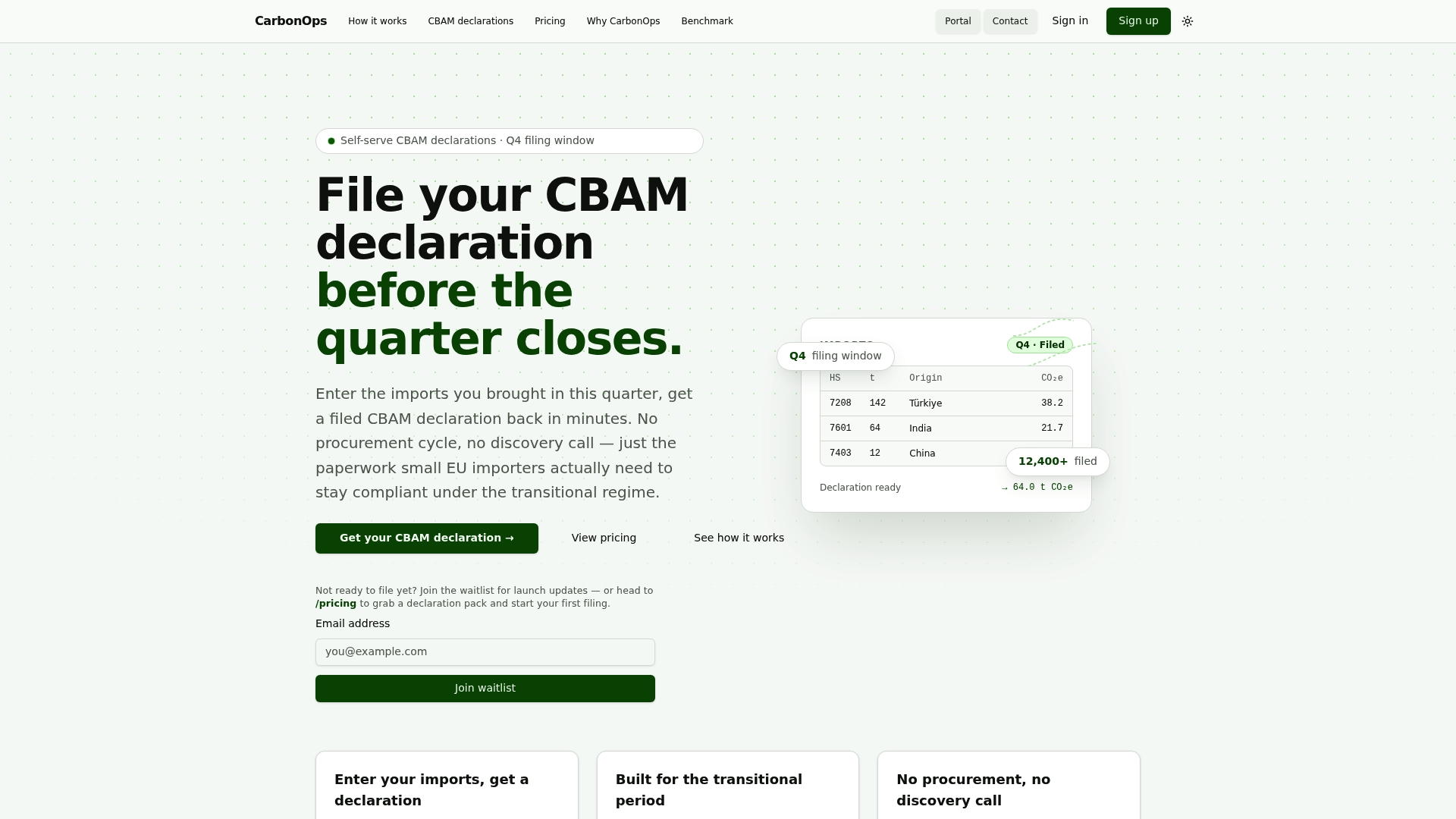
Before you start, pull together your HS/CN-coded import manifest or ledger extract, mass per shipment in tonnes, supplier names and contacts, and any supplier emissions files you already have. CarbonOps will match your CN codes, apply supplier or Commission default emissions to every line, and return an audit-ready export with a validation report. Purchase a single declaration or a multi-pack based on your filing volume, and request a sample conversion first to see exactly what you’ll receive.
Regulatory sources and useful links for CBAM filers
The documents below are the primary references for anyone preparing a CBAM declaration. Bookmark them before your first filing.
| Source | What it covers |
|---|---|
| CBAM Questions and Answers | Authorisation rules, Excel template guidance, annual filing deadlines, and certificate purchasing flow via the Common Central Platform |
| CBAM Registry and Reporting | Registry modules including AMM and O3CI, reporting obligations, and supplier-data exchange via the O3CI module |
| CBAM Registry (DRMC) | Data Reconciliation for Monitoring and Control — audit trail, reconciliation, and penalty monitoring features |
| CBAM Declarant Portal UI Manual | Portal components, XML upload process, UUM&DS authentication steps, and domain selection |
| Commission Guidance for EU Importers | CN code mapping to Annex I, Excel communication template details, supplier outreach best practices, and pre-filled template downloads |
The Commission’s importer guidance is the most practical starting point for CN mapping. The Declarant Portal manual is the reference you’ll need when you’re ready to upload. The O3CI module documentation covers how third-country operators submit emissions data directly to the Registry, which matters if your suppliers are willing to engage at that level.