CBAM Installation ID: How to Find and Confirm It

CBAM Installation ID: How to Find and Confirm It
The CBAM Installation ID is a system-generated, read-only identifier assigned to a facility record in the CBAM Registry or its O3CI counterpart. You don’t create it, edit it, or negotiate it with a supplier. It gets stamped onto an installation the moment that installation is registered, and it stays fixed for the life of that record.
Its job is narrow but critical: it ties every ton of reported embedded emissions back to one specific facility, so auditors and customs authorities can trace a declaration to its source without guesswork. If you’re a declarant staring at a supplier’s data package and wondering which number actually identifies “the plant,” this is it.
Your immediate next step depends on where you’re starting from:
- If you already have supplier data: check the Emissions tab in the CBAM Registry and confirm the Installation ID matches what the supplier reports.
- If you don’t have it yet: ask the supplier or operator directly to confirm their O3CI installation record and share the ID and installation name.
- If the supplier hasn’t registered: you’ll need to prompt them to create the record before you can file against it.
Get this number wrong, and the rest of your declaration inherits the error.
Key Takeaways
The Installation ID is a permanent, system-generated link between reported emissions and a specific facility, and verifying it against supplier data before filing prevents the audit risk that comes from mismatched or unlinked records.
| Point | Details |
|---|---|
| Installation ID is read-only | It’s generated automatically in O3CI or the CBAM Registry when a facility record is created; you cannot edit it directly. |
| Share your EORI first | Suppliers must link your EORI to their emissions upload, or their installation won’t appear in your Registry search. |
| Verify three field groups | Check economic activity, address and coordinates, and representative documentation before trusting a matched record. |
| Save frequent installations | Store recurring supplier records in your personal registry to skip repeat searches every filing quarter. |
| Automate the mapping | CarbonOps stores installation mappings during import intake so declarations export filing-ready without repeated registry lookups. |
Table of Contents
- What Is an Installation ID in the CBAM Registry?
- How Do You Find an Installation ID in the CBAM Registry?
- Where Do Installation IDs Actually Come From?
- Which Installation Fields Actually Affect Your Declaration?
- How Do You Obtain or Correct an Installation ID Before Filing?
- What Causes Installation ID Errors and How Do You Fix Them?
- How Does CarbonOps Simplify Installation ID Verification?
- What Compliance Officers Get Wrong About Installation IDs
- Get Your CBAM Declarations Filing-Ready Without the Registry Guesswork
- Where to Verify the Details Yourself
- Sources
What Is an Installation ID in the CBAM Registry?
An Installation ID is not something a declarant types in. It’s generated automatically the moment an operator or their representative creates an installation record inside the CBAM system, whether that’s through the O3CI portal for non-EU operators or an equivalent registration path. The field is locked once populated. You can view it, search by it, and reference it in a declaration, but you cannot manually change its value.
That permanence is the point. CBAM’s entire audit model depends on a stable link between a reported batch of emissions and the physical facility that produced them. Without a fixed identifier, two suppliers could describe the same plant under slightly different names, or one supplier could accidentally split reporting across what looks like two separate sites. The Installation ID prevents that ambiguity by acting as the one constant reference point that survives name changes, address updates, and even changes in the representative managing the account.
By the numbers: the CBAM definitive regime takes effect on January 1, 2026, and reporting obligations under that regime lean more heavily on registry data than the transitional period did. That means the margin for a mismatched or unverified Installation ID gets thinner, not wider, as the year goes on.
It’s worth distinguishing the Installation ID from other identifiers floating around a CBAM filing:
- CBAM account number: identifies the declarant (the EU importer or their representative), not the facility.
- Certificate ID: tied to CBAM certificates purchased to cover embedded emissions, relevant under the definitive regime but unrelated to facility identity.
- Installation ID: identifies the producing facility itself, regardless of who is importing from it or how many certificates get purchased against its output.
If you’re reconciling a declaration and something doesn’t add up, check which identifier you’re actually looking at first. A mismatched account number is a declarant-side problem. A mismatched Installation ID is a data-integrity problem that traces back to the source facility, and it’s the one auditors will flag fastest.
How Do You Find an Installation ID in the CBAM Registry?
Declarants don’t hunt for Installation IDs blind. The Registry has a built-in path for this, and it works reliably once you understand its two preconditions.
First, the operator on the other end needs to have actually created the installation record and, in most cases, associated your EORI with their emissions data. Second, you need to know at least a rough identifier, an installation name, country, or city, to search against, since the registry doesn’t hand out a master directory of every facility on earth.
Here’s the workflow:
- Log into the CBAM Registry and navigate to the Emissions tab.
- Select “Search in Third Country Installations registry.”
- Filter by installation name, country of establishment, or city, whichever detail you have with confidence.
- Review the matching record and confirm the Installation ID, installation name, and address align with what your supplier told you.
- If nothing surfaces, that’s usually a sign the operator hasn’t linked your EORI to their emissions upload yet, not that the Registry is broken.
That EORI linkage trips up more declarants than any other step in this process. An operator can have a fully registered installation with a valid Installation ID, and you’ll still see nothing in your search results if they haven’t associated your specific EORI with the emissions data they’ve uploaded. This isn’t a permission bug. It’s how the system is designed to control which declarants can see which supplier data, and it means a phone call or email to your supplier asking “have you linked my EORI yet?” often resolves a search that looks broken.
Once you’ve located an installation record correctly, save it. Sector-specific guidance from a World Cement Association webinar on the Declarant Portal recommends storing frequently used operator and installation records in your personal registry rather than re-running the same search every filing period. For teams handling quarterly declarations from the same handful of suppliers, that one habit removes a repetitive task from every filing cycle going forward.
Pro Tip: Search by city and country together before trying installation name alone. Facility names get transliterated inconsistently across suppliers, but geographic details rarely change.
Where Do Installation IDs Actually Come From?
Every Installation ID traces back to the same origin point: a non-EU operator creating a record in the O3CI portal, short for Operators of Third-Country Installations. Understanding that workflow helps you know exactly what to ask your supplier for when an ID is missing.
The operator-side sequence runs like this. First, the operator creates an account in O3CI. Then they register a new installation and complete a set of mandatory fields. The moment that record saves, the O3CI system generates the Installation ID automatically. There’s no form field for “enter your Installation ID” anywhere in this process, because the operator doesn’t have one to enter yet. It doesn’t exist until the record is created.
The required fields at registration cover more ground than most first-time operators expect:
- Economic activity classification (which CBAM sector and sub-sector the installation belongs to)
- Full address, including street, city, and country
- Geographic coordinates
- Representative contact details for the person managing the account
- Supporting documents that substantiate the installation’s activity and emissions data
| Field group | What it captures | Why it matters for declarants |
|---|---|---|
| Economic activity | CBAM sector and sub-sector classification | Determines which default emissions values apply if supplier data is incomplete |
| Address and coordinates | Physical location, city, country | Disambiguates facilities with similar names or shared ownership |
| Representative contact | Name and role of the account manager | Gives declarants someone to reach when data looks wrong |
| Supporting documents | Evidence backing the installation’s activity claims | What auditors will ask for first if a record is questioned |
Editing an existing record isn’t as simple as opening the file and typing over a field. Manuals for the O3CI portal describe an “Edit Installation” function that’s available depending on the record’s current request status, and outright deletion is similarly restricted once a record has active declarations attached to it. If an operator needs to correct an address or add a missing representative, they typically submit a change request rather than editing freely, which is why corrections can take days rather than minutes.
Which Installation Fields Actually Affect Your Declaration?
Not every field in an installation record carries equal weight for your filing. Three groups matter more than the rest, and knowing which one is causing a problem saves time when something doesn’t reconcile.
Economic activity and CN-code alignment. The installation’s registered economic activity determines which CBAM sector rules and default emissions values apply if supplier-specific data is missing or incomplete. If the economic activity on file doesn’t match the CN code of the goods you’re importing, that’s usually the first thing to flag with the supplier. It suggests either a registration error or that you’re looking at the wrong installation entirely.
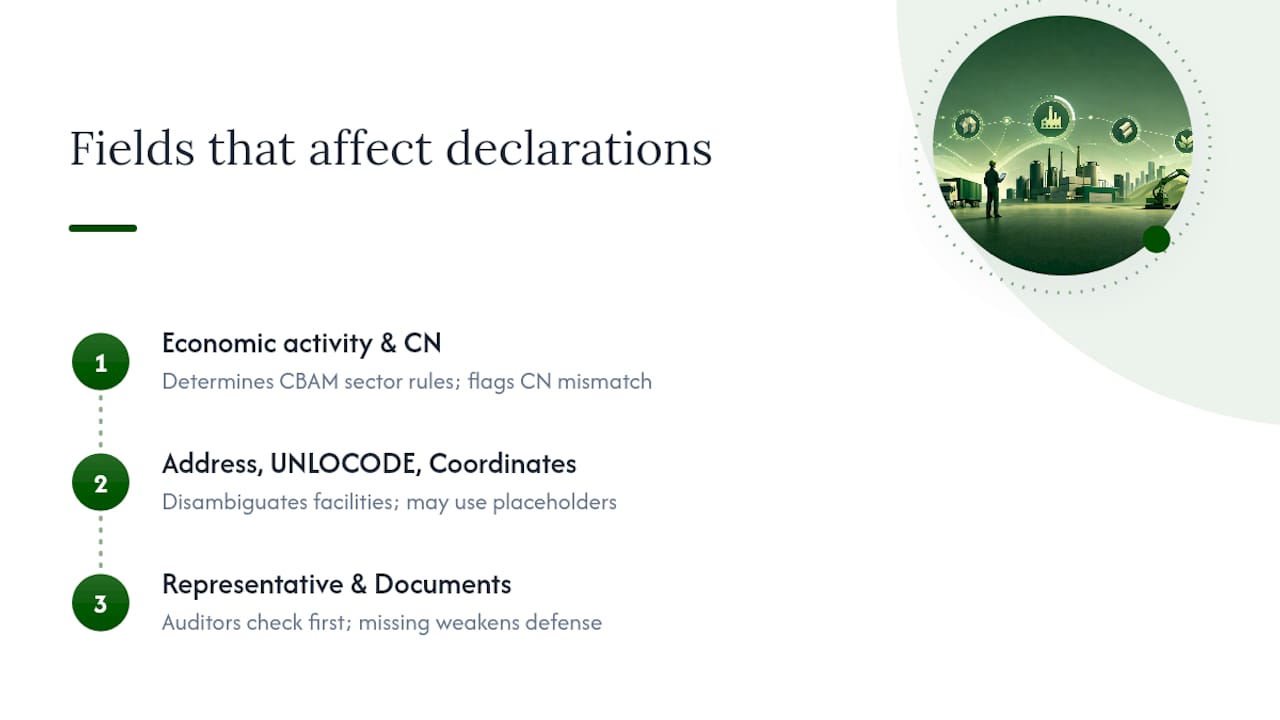
Address, UNLOCODE, and coordinates. This is the disambiguation layer. Two facilities in the same industrial park, or two plants owned by the same parent company in different cities, can look nearly identical on paper if you’re only checking installation names. Coordinates and UNLOCODE data settle that ambiguity, and they’re also the fields most likely to contain formatting quirks. User manuals note that operators can enter “N/A” for coordinates when only a P.O. Box is available, and a default placeholder of “0000” for postal codes in countries that don’t use them. If you’re comparing addresses field-by-field and one looks incomplete, that may be expected behavior rather than an error.
Representative contact and supporting documents. These are the fields an auditor will ask about first if a declaration comes under review. A record with no listed representative or no uploaded supporting documentation is a record that’s harder to defend, even if the Installation ID itself is technically valid.
A mismatch in any of these three areas doesn’t necessarily mean the Installation ID is wrong. It usually means the underlying record needs a correction, and catching that early beats discovering it during an audit.
How Do You Obtain or Correct an Installation ID Before Filing?
Most Installation ID problems trace back to a communication gap between declarant and supplier, not a technical failure in the Registry. Here’s the sequence that resolves the majority of cases.
- Request the installation name and Installation ID directly from your supplier. If they can’t produce it, ask them to log into O3CI and confirm whether they’ve created and completed an installation record. Many suppliers, especially smaller manufacturers new to CBAM, simply haven’t finished registration yet.
- Share your declarant EORI with the supplier. This is the step people skip most often. Without it, the operator’s emissions upload may exist but remain invisible to your search in the Registry. Send your EORI proactively rather than waiting for a failed search to prompt the conversation.
- Search using exact-match filters (installation name, country, city) once you have a starting point, and save the record in your personal registry so you’re not repeating the search every quarter. This matters more the more suppliers you manage: a team tracking a dozen recurring installations across multiple countries saves real time by building that list once.
- If something doesn’t match (address, name, economic activity), request the specific supporting documents from the operator and ask them to submit a formal “Request for change” through O3CI rather than assuming the discrepancy will resolve itself. Registry corrections have processing time, so flag mismatches as early in your filing cycle as possible.
Pro Tip: Keep a simple internal log mapping supplier name to Installation ID to EORI-sharing date. When you’re managing more than a handful of suppliers, this single spreadsheet resolves most “where did that ID come from again?” moments faster than searching the Registry from scratch.
Consistency in naming helps too. Training materials from CBAM webinars point out that installation names are essentially arbitrary labels chosen by the operator, not standardized codes, so two records for the same plant could technically use different names if two different people registered them at different times. Agreeing on a naming convention with your regular suppliers, even informally, cuts down on search friction later.
What Causes Installation ID Errors and How Do You Fix Them?
Four problems account for most of the friction declarants report with Installation IDs. None of them require escalation to the European Commission, but each has a specific fix.
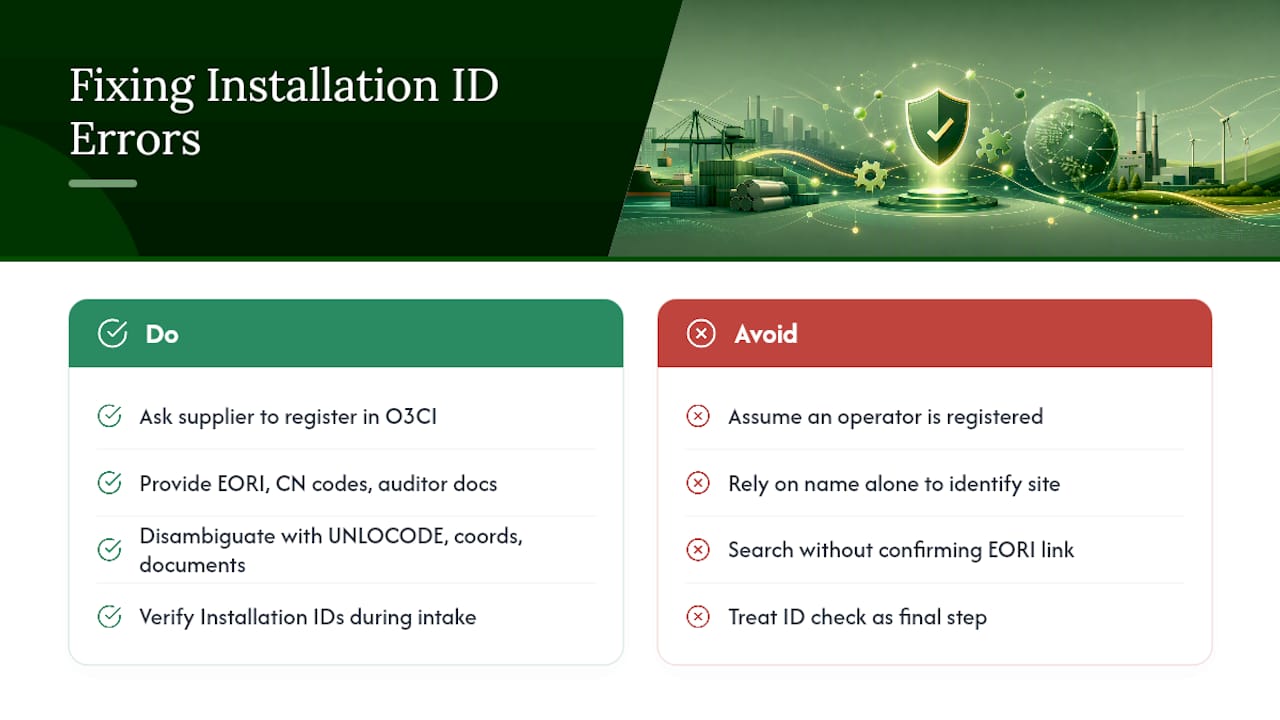
The operator hasn’t registered at all. No installation record means no Installation ID exists to find. The fix is direct: request that your supplier register in O3CI, and offer to share the specific fields they’ll need (your EORI, the CN codes you’re importing, and a description of what documentation their auditor will eventually want to see).
Duplicate or ambiguous installations show up in a search. This happens when a parent company operates multiple sites under similar names, or when an installation was registered twice by different people. Disambiguate using UNLOCODE, coordinates, and any supporting documents attached to each record rather than relying on the name alone.
Your EORI isn’t linked, so the record doesn’t appear in your search. This looks identical to “the operator hasn’t registered,” but the fix is different: share your EORI directly with the supplier and confirm they’ve associated it with their emissions upload. If that doesn’t resolve it within a reasonable window, escalate to the Registry helpdesk.
Late corrections create audit exposure. The CBAM definitive regime, effective January 1, 2026, tightens the reporting cadence and raises the stakes on getting facility data right the first time. A mismatched Installation ID discovered after filing is harder to unwind than one caught during the intake stage, since it may mean re-filing an entire declaration line. Build ID verification into your intake process rather than treating it as a final check before submission, and you avoid becoming the case study for why that matters.
How Does CarbonOps Simplify Installation ID Verification?
Manually re-searching the CBAM Registry for the same handful of supplier installations every quarter is exactly the kind of repetitive task that eats a compliance officer’s week. CarbonOps is built to remove that friction from the declaration process itself.
The workflow runs in four steps: you enter each imported shipment with its HS/CN code, mass, and country of origin; CarbonOps matches each line to its CBAM sector and CN code; embedded emissions are applied using supplier-specific data where available, or the Commission’s published default values where they’re not; and the completed declaration exports in the format the Registry expects. Installation ID confirmation fits into that intake stage, where imported shipment data gets mapped against known supplier and facility records rather than searched from scratch every filing period.
Two things fall out of that structure:
- Fewer repeat registry searches. Once an installation mapping is stored, it’s reusable across every future declaration involving that supplier.
- An audit-ready export. The declaration you produce retains a filing history, so if a facility record ever needs to be revisited, you’re not reconstructing the trail from memory.
For teams filing against dozens of recurring supplier relationships, that repeatability is worth more than any single search shortcut. CarbonOps turns installation mapping from a recurring chore into a stored reference point.
What Compliance Officers Get Wrong About Installation IDs
Most guidance on CBAM treats the Installation ID as a minor technical footnote, something you glance at once and move past. That’s backward. It’s the single field most likely to cause a silent, undetected error in a declaration, because a wrong or unverified Installation ID doesn’t throw an error message. It just quietly attaches your reported emissions to the wrong facility, or to no verified facility at all.
The conventional advice, “check that you have an Installation ID,” misses the actual failure mode. The number almost always exists somewhere in the system. The real risk is that it’s attached to the wrong record, or invisible to you because your EORI was never shared. Compliance officers who treat ID verification as a data-matching exercise, checking address, coordinates, and economic activity against what the supplier claims, catch far more problems than those who treat it as a simple lookup.
Prioritize the EORI-sharing conversation before anything else. It’s the one-step suppliers forget most often, and it’s the one that makes an otherwise correctly registered installation invisible to your search. Everything else, filters, saved registries, documentation requests, is cleanup work that matters less if that first handshake never happens.
— Jake Stevens
Get Your CBAM Declarations Filing-Ready Without the Registry Guesswork
You’ve now got the checklist for tracking down and verifying an Installation ID by hand. If you’re filing for one or two suppliers a quarter, that manual process works fine. If you’re managing imports across a dozen facilities and multiple filing periods, it becomes the part of your workflow that eats the most hours for the least strategic value.
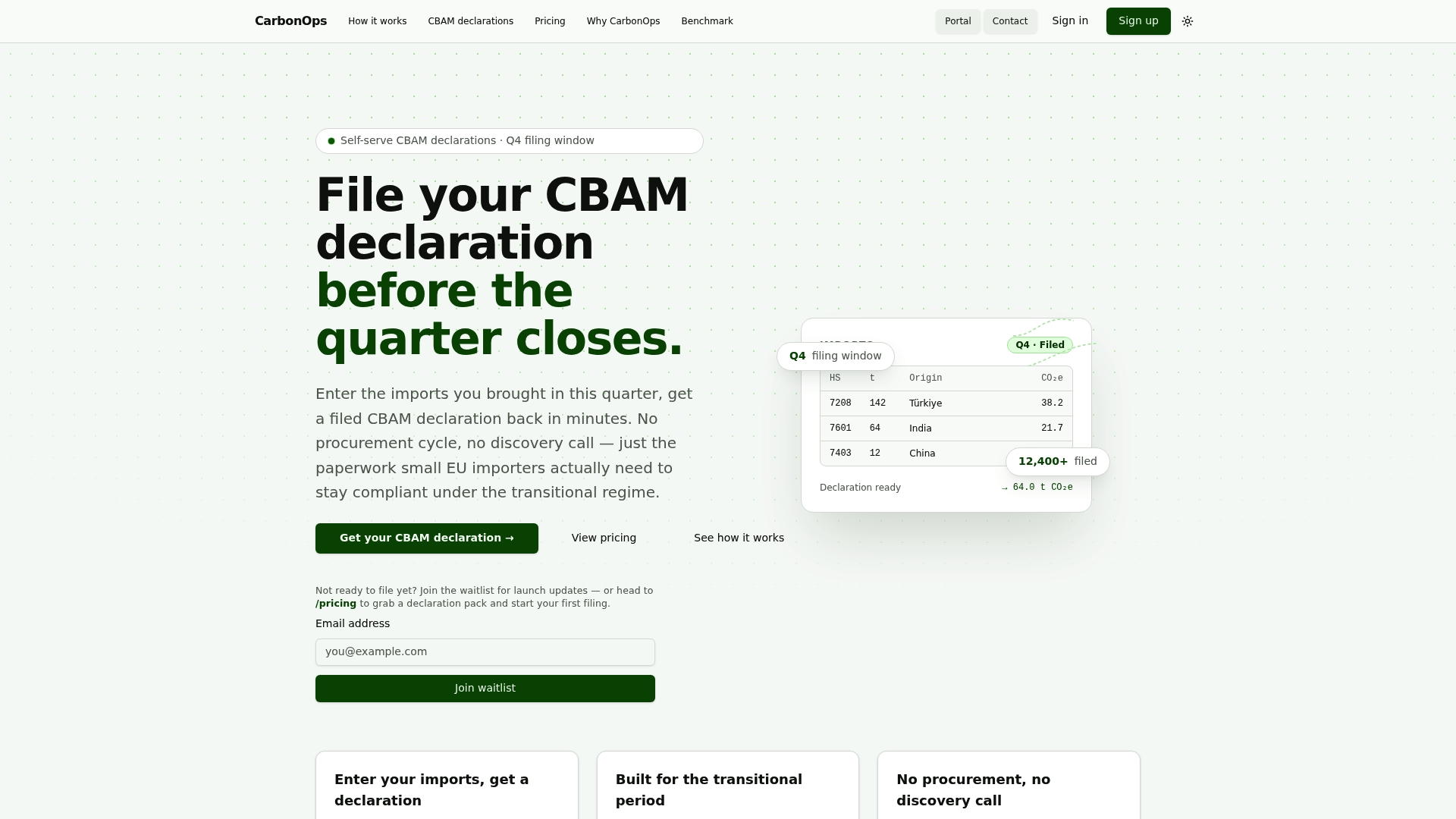
CarbonOps turns a batch of imported goods into a filing-ready CBAM declaration without requiring a procurement cycle, a platform rollout, or a sensor deployment. You enter your shipments with HS/CN codes, mass, and country of origin, and the tool matches each line to its CBAM sector, applies supplier or default emissions values where needed, and exports a declaration in the format the Registry expects, ready for review and retained in your filing history. Installation mapping becomes a stored reference instead of a repeated search. If you’re preparing filings ahead of the definitive regime and want fewer manual registry lookups per quarter, start a declaration with CarbonOps and see how your next filing period compares.
Where to Verify the Details Yourself
- CBAM Registry official guidance — Registry access, Emissions tab navigation, and Installation ID definitions
- Carbon Border Adjustment Mechanism overview — definitive regime timeline and reporting obligations
- User Manual for CBAM Declarants, Release 1.1 — installation data fields and declarant-side search behavior
- O3CI / 3rd country installations user manual (MITECO) — operator registration workflow and required fields
- Webinar on the Declarant Portal, World Cement Association — practical Q&A on registry search and saved installations
Sources
- CBAM Registry - Taxation and Customs Union - Europa.eu
- Carbon Border Adjustment Mechanism - Taxation and Customs Union
- O3CI / 3rd country installations user manual (national translation) - MITECO (Spain)