CBAM Emission Factors: What Importers Need to Apply
CBAM Emission Factors: What Importers Need to Apply
For CBAM purposes, an emission factor is the specific embedded emissions (SEE) value assigned to a unit of imported goods, expressed in tCO2e per tonne of product or tCO2e per MWh for electricity. Two types are permitted: actual installation-specific SEEs supplied by your manufacturer, and Commission default values published under Implementing Regulation (EU) 2025/2547. If your supplier has provided verified production-level data, use it. If not, the Commission’s default-values spreadsheet, organized by CN code and country of origin, is your fallback, and you must record which version of that file you used for every quarterly filing.
The default-values XLS is downloadable from the European Commission’s CBAM Registry resources page. Annex I of the Regulation covers direct-emission defaults by CN code and production route. Annex II covers per-country indirect electricity factors, each calculated as a simple five-year average of IEA-sourced data. Per the EU importer guidance, you must indicate in your CBAM report which methodology you used, whether actual or default.
- Direct emission factors: tCO2e per tonne of product (Annex I defaults or supplier actuals)
- Indirect electricity factors: tCO2e per MWh, applied to electricity consumed in production (Annex II defaults or country-level actuals)
- Precursor embedded emissions: SEE values for upstream inputs (e.g., sintered ore used in steel production) that roll into the final good’s total
Key Takeaways
CBAM emission factors fall into two categories: Commission default values (Annex I for direct, Annex II for indirect electricity) and verified installation-specific SEEs, and the choice between them determines both your calculation method and your documentation burden.
| Point | Details |
|---|---|
| Default values are the regulatory floor | Use Commission Annex I and Annex II defaults when supplier data is unavailable or unverifiable; always record the XLS version. |
| Units must match before you multiply | Confirm tCO2e/tonne for goods and tCO2e/MWh for electricity; a GJ/MWh mismatch produces a 3.6× error in your declaration. |
| Supplier data requires a documentation checklist | Retain installation ID, reporting period, calculation method, electricity consumption, and verifier statement for every actual SEE used. |
| Keep CBAM and corporate GHG totals separate | CBAM embedded emissions are a regulatory ledger; adding them to Scope 3 without boundary adjustments inflates your corporate inventory. |
| CarbonOps automates factor lookup and audit trail | CarbonOps maps CN codes, applies Commission defaults, and exports filing-ready declarations with the full evidence trail built in. |
Table of Contents
- Which goods and emissions does CBAM actually cover?
- What types of emission factors does CBAM allow?
- Where to find and download the official Commission default values
- How to calculate embedded emissions: formula and worked example
- How to map CN codes to CBAM goods and handle ambiguous classifications
- When should you use supplier data versus Commission defaults?
- Common pitfalls and uncertainty controls in CBAM calculations
- A practical workflow for turning supplier inputs into filing-ready emission lines
- Authoritative datasets and tools to use alongside the Commission XLS
- A practitioner’s perspective on CBAM emission factors for U.S. importers
- CarbonOps handles the XLS lookup and audit trail for you
- Primary sources to download and bookmark
- Sources
Which goods and emissions does CBAM actually cover?
CBAM applies to six sectors, defined by CN codes at the point of import: iron and steel, cement, aluminum, fertilizers, hydrogen, and electricity. The CN code on your import declaration controls whether a shipment is in scope. A product that falls outside the listed CN codes is not subject to CBAM reporting, regardless of its carbon intensity.
Within those sectors, you report three emission components:
- Direct emissions: CO2 (and N2O for fertilizers, PFCs for aluminum) released during the production process itself, attributed to the specific installation and production period.
- Indirect emissions: Emissions from electricity consumed during production, calculated as electricity consumption (MWh) multiplied by the applicable country-level emission factor (tCO2e/MWh). These are reported separately from direct emissions.
- Embedded emissions of precursors: Where a covered good uses another covered good as an input (e.g., steel uses iron ore sinter), the precursor’s SEE must be tracked and included.
Electricity imports are handled differently from all other sectors. For imported electricity, only indirect emissions apply, using Annex II per-country factors. There are no direct emissions to report for electricity as a product.
The importer guidance specifies that quantities must be reported per installation and expressed in tCO2e per MWh for electricity or tCO2e per tonne for all other goods. Getting the unit right before you multiply is not a minor detail. A factor in tCO2e/GJ applied to a quantity in MWh will produce a figure that is off by a factor of 3.6, and that error will survive into your filed declaration unless you catch it.
What types of emission factors does CBAM allow?
Three factor types are permitted, each with a defined use case.
| Factor type | Unit | When to use |
|---|---|---|
| Commission Annex I default (direct) | tCO2e per tonne of product | Supplier actual data unavailable or unverifiable |
| Commission Annex II default (indirect electricity) | tCO2e per MWh | Supplier electricity factor unavailable or unverifiable |
| Installation-specific actual SEE | tCO2e per tonne (direct + indirect) | Supplier has provided verified production-period data |
Commission default values (Annex I and Annex II) are the regulatory floor. Annex I provides direct-emission defaults organized by CN code and, in some cases, by production route (e.g., basic oxygen furnace vs. electric arc furnace for steel). Annex II provides per-country indirect electricity factors. Per Implementing Regulation (EU) 2025/2547, the Annex II factors are calculated as the simple average of the most recent five-year period of reliable data, which smooths out single-year volatility and accounts for gradual grid decarbonization.
Installation-specific actual SEEs require the supplier to provide production-period data: fuel and material quantities consumed, electricity consumed, the calculation or measurement method used, and the resulting tCO2e figure per tonne of output. The Regulation builds its methodology on EU ETS monitoring practice under Commission Implementing Regulation (EU) 2018/2066, so suppliers already operating under EU ETS will recognize the framework.
Electricity-country factors sit in Annex II and are based on IEA energy and emissions statistics. They are the correct source for indirect emissions when a supplier cannot or does not provide installation-level electricity data.
A few practical notes on units:
- Always confirm whether a supplier-provided factor covers direct emissions only, or direct plus indirect combined.
- If a factor is given in tCO2e/GJ, convert to tCO2e/MWh by multiplying by 3.6, before applying it to electricity consumption figures.
- Precursor SEEs must be in the same unit as the final good’s factor (tCO2e per tonne of precursor) to add cleanly.
Where to find and download the official Commission default values
The authoritative source is the Commission’s CBAM Registry resource page, which hosts both the Implementing Regulation text and the downloadable default-values XLS. Here is how to work through it efficiently.
- Navigate to the Commission’s CBAM legislation page. The Implementing Regulation (EU) 2025/2547 is published in the Official Journal of the EU. The default-values XLS is linked from the Commission’s CBAM Registry and dedicated CBAM importer resources pages.
- Download the XLS and note the file date. The filename and publication date are your version reference. Record both in your compliance log at the time of download. If the Commission updates the XLS mid-year, the version you used for a given quarterly filing is what matters for audit.
- Open Annex I (direct defaults). The sheet is organized by CN code. Locate your product’s CN code in the left-hand column. Where multiple production routes exist for a single CN code, identify the correct row using the production-route description. If your supplier has confirmed the route, use that row. If not, use the more conservative (higher) default.
- Open Annex II (indirect electricity defaults). This sheet is organized by country of origin. Find the row for the country where the goods were produced. The factor is in tCO2e/MWh. This is the value you multiply against the electricity consumption figure your supplier provides, or against the production-weighted average if you are estimating.
- Record the XLS version in your filing evidence. Treat the XLS version the same way you treat an invoice: it is a document that supports a number in your declaration.
The Annex II electricity factors are grounded in IEA energy statistics, averaged over five years per the Regulation’s methodology. This matters when a supplier argues that their country’s grid has recently decarbonized significantly. The Commission’s factor reflects a five-year window, not last year’s grid mix, so a supplier’s single-year argument will not override the regulatory default.
- The EU importer guidance notes that during the transitional period, operators may use other jurisdictional methods if they lead to comparable coverage, but the methodology used must be declared in the report.
- Always download a fresh copy of the XLS at the start of each quarterly reporting cycle. Do not reuse a prior quarter’s file without confirming it has not been updated.
How to calculate embedded emissions: formula and worked example
The core formula, as detailed in the GreenCalculus CBAM methodology, is:
SEE = (Attributed direct emissions + Attributed indirect emissions + Embedded emissions of precursors) ÷ Mass of goods produced
Once you have the SEE for a product, the per-import-line calculation is straightforward, as the Climatiq CBAM guide puts it:
Total embedded emissions (tCO2e) = Weight of imported goods (tonnes) × SEE (tCO2e/tonne)
Here is a step-by-step numeric example for a steel import using Commission defaults.
Scenario: You are importing 500 tonnes of hot-rolled steel coil (CN code 7208) from Turkey. Your supplier has not provided verified installation data, so you use Commission defaults.
- Identify the CN code and locate the Annex I default. CN 7208 maps to hot-rolled flat products of iron or non-alloy steel. Assume the Annex I default for basic oxygen furnace route is 2.1 tCO2e per tonne (illustrative; use the actual XLS value for your filing).
- Identify the Annex II electricity factor for Turkey. Assume the Commission’s Annex II value for Turkey is 0.55 tCO2e/MWh (illustrative; use the actual XLS value).
- Apply the direct factor. 500 tonnes × 2.1 tCO2e/tonne = 1,050 tCO2e (direct).
- Apply the indirect factor. If the Annex I default already bundles a standard electricity allowance, no separate indirect calculation is needed. If it does not, multiply the supplier’s stated electricity consumption per tonne by the Annex II factor and by the import quantity.
- Sum the components. Total embedded emissions = direct + indirect tCO2e.
- Record the carbon price already paid abroad. If the supplier’s country has a carbon pricing mechanism and the importer can document the carbon cost paid per tonne, that amount may be deducted from the CBAM obligation. Documentation required: official carbon-price schedule, proof of payment, and the per-tonne calculation.
| Input | Value | Source |
|---|---|---|
| CN code | 7208 | Import declaration |
| Import quantity | 500 tonnes | Shipping invoice |
| Direct SEE (default) | 2.1 tCO2e/tonne | Commission Annex I XLS |
| Indirect electricity factor | 0.55 tCO2e/MWh | Commission Annex II XLS |
| Total direct embedded emissions | 1,050 tCO2e | 500 × 2.1 |
| XLS version used | [file date] | Compliance log |
Pro Tip: Always separate direct and indirect tCO2e in your working file, even when the declaration combines them. Auditors and verifiers routinely ask to see the split, and reconstructing it after the fact from a single combined number is far harder than maintaining the two columns from the start.
How to map CN codes to CBAM goods and handle ambiguous classifications
The CN code on your import declaration is the entry point for every CBAM scope decision. The Regulation’s Annex I goods list specifies which CN codes are covered; if your code is not on the list, the shipment is out of scope.
- Step 1: Confirm the CN code maps to an Annex I entry. Cross-reference the eight-digit CN code from your customs declaration against the Commission’s CBAM goods list. A six-digit HS code is not sufficient; CBAM scope is defined at the CN level.
- Step 2: Check whether the product is a complex good. Some CN codes cover goods that can be produced via multiple routes (e.g., steel via electric arc furnace vs. basic oxygen furnace) or that incorporate covered precursors. Identify whether precursor SEEs must be tracked separately.
- Step 3: Resolve composite or ambiguous CN codes. Where a single CN code covers both CBAM-covered and non-covered variants of a product, you need a production-route description from your supplier to select the correct Annex I row. A generic product description on an invoice is not sufficient.
Example of an ambiguous CN scenario: CN code 7601 covers unwrought aluminum, but the Annex I defaults differ by production route (primary smelting vs. secondary/recycled). If your supplier produces both, and the invoice does not specify, you have two options: request a written production-route confirmation from the supplier, or apply the higher (more conservative) default and document the reason. Applying the lower default without evidence is an audit risk.
The importer guidance is explicit that reporting declarants must report quantities per installation. If a single shipment draws from multiple installations, each installation’s contribution must be reported separately, not blended.
When should you use supplier data versus Commission defaults?
Prefer verified supplier data whenever it is available and meets the Regulation’s requirements. Defaults are a fallback, not a preference. The practical decision tree looks like this:
- Use actual installation SEEs when: The supplier has provided production-period data (fuel quantities, electricity consumption, calculation method), the data covers the same period as the import, and you can retain the supporting documentation.
- Use Commission defaults when: The supplier has not responded, the data provided is incomplete, the methodology used does not align with the Regulation, or the figures cannot be independently verified.
Verification and documentation checklist for supplier-specific data:
- Installation identity: name, location, and operator of the production facility
- Reporting period: the production period the SEE data covers (must match or overlap the import period)
- Fuel and material quantities consumed, with units
- Electricity consumed (MWh), with the source of the electricity emission factor used
- Calculation or measurement method (calculation-based per the importer guidance, or continuous measurement where required)
- Third-party verifier statement, where available
- Written communication confirming production route (especially for ambiguous CN codes)
- Carbon price paid abroad, if a deduction is claimed: official price schedule and proof of payment
Retain all of the above for at least five years. The Commission’s audit window is long, and a declaration filed today may be queried years from now.
Pro Tip: Send your supplier a structured data-request template rather than a free-form email. Specify the exact fields you need (installation ID, reporting period, tCO2e per tonne split by direct and indirect, electricity consumption in MWh) and the deadline. A structured request produces usable data far more reliably than a general inquiry, and the template itself becomes part of your audit trail.

Common pitfalls and uncertainty controls in CBAM calculations
The most frequent error in practice is pulling emission intensity figures from a supplier’s voluntary sustainability report and treating them as CBAM-eligible factors. Sustainability-report intensities are often calculated on a different boundary (Scope 1+2 combined, market-based electricity accounting, or a different allocation method) and will not match the Commission’s regulatory definitions. Using them produces a non-compliant declaration.
Other common pitfalls:
- Double-counting into corporate GHG totals. CBAM embedded emissions are a regulatory ledger, not a Scope 3 inventory. Adding CBAM tCO2e figures directly into your corporate GHG report will inflate Scope 3 unless you apply the correct boundary adjustments. Keep the two ledgers separate.
- Unit mismatches. The most common: applying a factor in tCO2e/GJ to a quantity in MWh (off by 3.6×), or applying a per-tonne factor to a quantity in kilograms. Always write the unit alongside every number in your working file.
- Using a stale XLS version. The Commission may update default values. A factor from a prior-year XLS applied to a current-quarter filing is technically incorrect. Version-stamp every download.
- Misattributing emissions in multi-product installations. Where a facility produces multiple goods, emissions must be attributed to each production process using the allocation rules in the Regulation, not split by revenue or output volume.
Allocation for multi-product installations: The Regulation requires attribution to specific production processes, not to the facility as a whole. If a steel plant produces both hot-rolled and cold-rolled products, the emissions attributed to each must reflect the actual process boundaries, not a simple 50/50 split.
Pro Tip: Run a sanity check on every factor you apply: compare your calculated SEE against the Commission’s Annex I default for the same product. A dramatically lower figure is not impossible, but it is an audit flag.
A practical workflow for turning supplier inputs into filing-ready emission lines
A consistent four-step process keeps CBAM calculations auditable and repeatable across quarterly filings.
-
Intake supplier data and confirm the CN code. Collect the import invoice, packing list, and any supplier emissions data. Confirm the eight-digit CN code and verify it appears in the CBAM Annex I goods list. Record the installation name and country of origin.
-
Verify method and units. Review the supplier’s data against the checklist in the previous section. Confirm the calculation method (calculation-based or measurement-based), check that units are in tCO2e per tonne and MWh, and flag any gaps. Where data is missing, decide whether to request it or apply the Commission default and document the reason.
-
Apply factors and calculate SEE lines. Multiply the SEE (actual or default) by the import quantity in tonnes. Separate direct and indirect components. For electricity imports, apply the Annex II country factor to the MWh quantity. Sum all lines for the declaration period.
-
Record provenance and prepare the declaration export. For each line, log: installation ID, reporting period, factor source (actual or Annex I/II default), XLS version if defaults were used, and the resulting tCO2e split. Export in the format the EU CBAM Registry expects and retain the working file with the declaration.
Documentation fields to capture at each step:
- Step 1: CN code (8-digit), installation name and address, country of origin, import quantity and unit
- Step 2: Calculation method, electricity consumption (MWh), factor source and value, any gaps and resolution
- Step 3: Direct tCO2e, indirect tCO2e, precursor SEE if applicable, total tCO2e per line
- Step 4: XLS version, filing period, declaration reference number, verifier statement if available
Pro Tip: CarbonOps automates steps 1 through 4: it maps CN codes to CBAM sectors, applies Commission defaults where supplier data is missing, and exports a declaration in the format the EU CBAM Registry expects, with the full audit trail built in. That removes the manual XLS lookup and version-tracking from your workflow entirely.
Authoritative datasets and tools to use alongside the Commission XLS
No single source covers everything. Here is what each resource is actually good for:
- Commission Implementing Regulation (EU) 2025/2547 and the default-values XLS: The primary legal source for all default factors. Use Annex I for direct defaults by CN code, Annex II for per-country electricity factors. Always download the current version at the start of each reporting cycle.
- Climatiq: An API-accessible emissions database that aggregates factors from multiple sources, including IEA-derived country electricity factors. Useful for rapid calculation and integration into internal tools, but cross-check any value against the Commission XLS before using it in a regulatory filing.
- CO2-iq: Provides plain-language explainers on EU default values and how they are structured, useful for onboarding compliance teams who are new to the Regulation’s logic.
- PTX-hub sector guidance documents: Sector-specific technical guidance, particularly relevant for hydrogen and fertilizer importers navigating complex production-route distinctions and precursor attribution rules.
- National greenhouse gas inventories: Useful for verifying country-level emission intensities, particularly where a supplier disputes the Commission’s Annex II factor for their country.
For regulatory filings, the hierarchy is clear: Commission XLS first, IEA-derived cross-checks second, aggregator tools (Climatiq, national inventories) for verification and workflow automation only. Build an internal compliance register that catalogs each resource by version date, the quarter it was used, and the specific factor values extracted from it.
A practitioner’s perspective on CBAM emission factors for U.S. importers
The single most underestimated task in CBAM compliance for U.S.-based importers is not the calculation itself. It is getting a usable response from the supplier.
Most non-EU manufacturers have not built CBAM data collection into their production monitoring. When you send a request for installation-level tCO2e per tonne, split by direct and indirect, for a specific production period, you are often asking for something the supplier has never been asked to produce. That takes time, and it takes a structured ask. Start with your highest-volume CN codes, the ones that will drive the largest CBAM liability, and work down from there.
For electricity factors specifically, do not accept a supplier’s single-year grid intensity figure without checking it against the Annex II value for their country. The Commission’s five-year average will often differ from a current-year figure, and the regulatory default is what controls your declaration unless you can document a compliant alternative.
Practically, U.S. importers resolve missing data in three ways: a formal written supplier request (with a deadline and a specific data template), application of the Commission default with documented rationale, or escalation to a customs broker or CBAM specialist when the CN code classification itself is uncertain. All three are legitimate. The key is that the choice and the reason are both recorded before the filing deadline, not reconstructed afterward.
Version the XLS you use for each quarterly filing. Map your high-volume CN codes first. Capture electricity consumption and supplier verification separately from direct emissions. These three habits, applied consistently, will keep your CBAM declarations audit-ready.
CarbonOps handles the XLS lookup and audit trail for you
Filing a CBAM declaration without a tool means manually cross-referencing CN codes against the Commission XLS, tracking which version of the defaults you used, and assembling the audit trail from spreadsheets and emails. For a single import line, that is manageable. For a quarterly filing with dozens of lines across multiple suppliers and countries, the manual process is where errors accumulate.
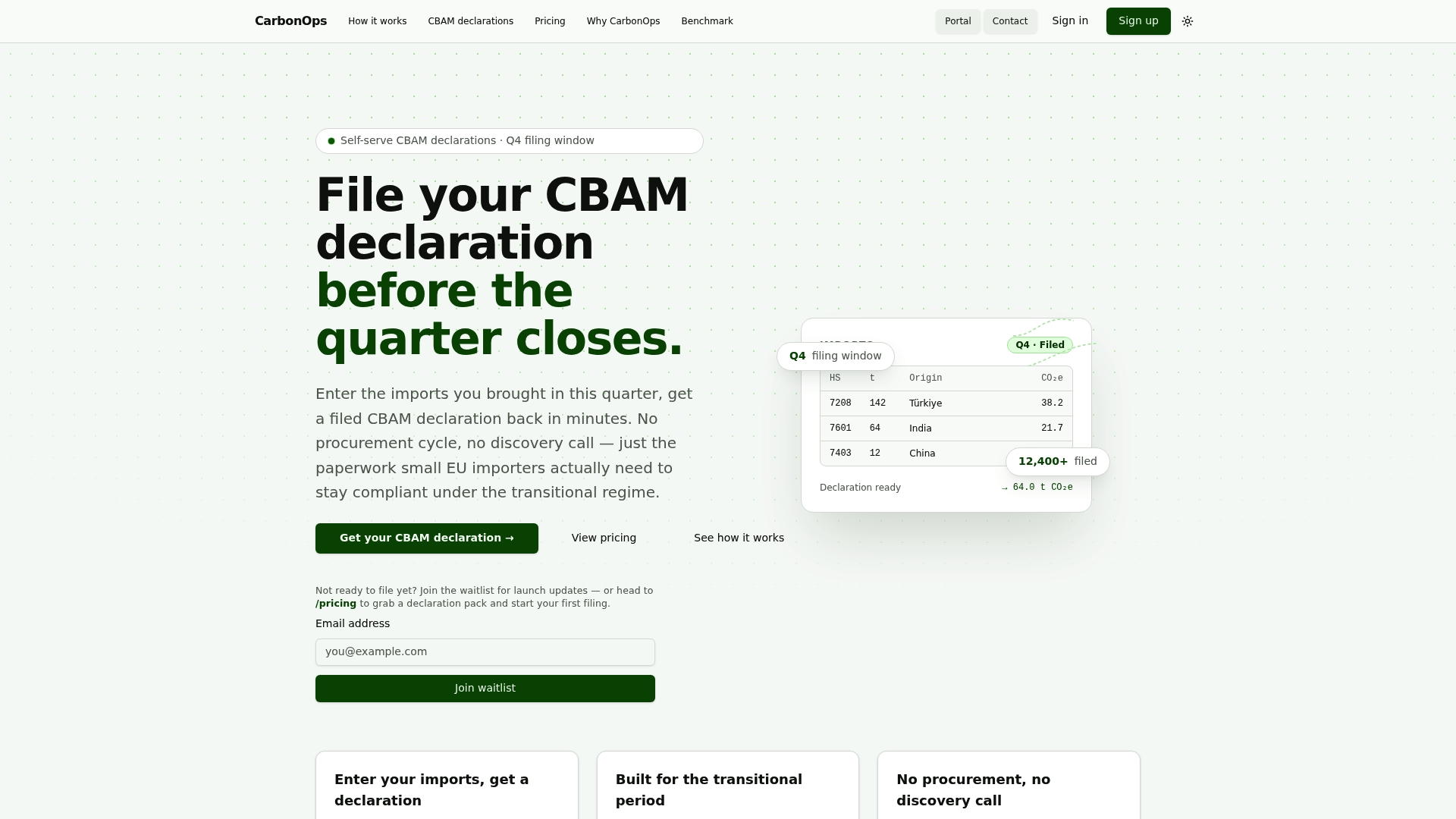
CarbonOps is built specifically for this workflow. Enter your shipments with their CN codes, mass, and country of origin. CarbonOps maps each line to its CBAM sector, applies the Commission’s current default values where supplier data is missing, and exports a filing-ready declaration in the format the EU CBAM Registry expects. Every factor applied, every XLS version used, and every supplier data point is retained in the audit trail automatically. No platform deployment, no subscription, no onboarding cycle. You pay per declaration, get the paperwork back, and keep the evidence. Start your first declaration at CarbonOps and see how quickly a batch of import lines resolves to a complete, reviewable filing.
Primary sources to download and bookmark
Snapshot the file date and version of every document you download and keep it with your filing evidence.
- Commission default-values XLS: Available from the Commission’s CBAM Registry and importer resources pages. This is the file you reference for every CN code and country factor in your declaration.
- EU CBAM importer guidance (updated): Details required monitored parameters, per-installation reporting fields, and indirect emissions treatment.
- Climatiq CBAM calculation guide: Practical per-line calculation walkthrough and unit-alignment advice, useful for teams building internal calculation tools.
- PTX-hub sector guidance: Sector-specific technical documents for hydrogen and fertilizer production routes, available from the PTX-hub website. Particularly useful when Annex I has multiple rows for a single CN code.
This article is general information, not a substitute for advice from a qualified lawyer. Consult a qualified legal professional about your own circumstances before acting on anything here.
Sources
- Commission Implementing Regulation (EU) 2025/2547 of 10 December 2025 laying down rules for the application of Regulation (EU) 2023/956 as regards the methods for the calculation of emissions embedded in goods
- GUIDANCE DOCUMENT ON CBAM IMPORTERS OF GOODS INTO THE EU
- GUIDANCE DOCUMENT ON CBAM IMPORTERS OF GOODS INTO THE EU
- How to calculate emissions for CBAM reporting | Climatiq blog
- International Energy Agency (IEA)