CBAM Emissions Calculation: A Step-by-Step Guide for US Importers

CBAM Emissions Calculation: A Step-by-Step Guide for US Importers
Your CBAM certificate obligation starts with one formula: [Specific Embedded Emissions (SEE) × quantity imported (tonnes) × CBAM factor] adjusted for any carbon price already paid in the country of origin under Article 9. SEE itself is defined as (direct embedded emissions + indirect embedded emissions where applicable + precursor embedded emissions for complex goods) ÷ net production in tonnes. A quick illustration: import hot-rolled steel with a verified SEE of 1.8 tCO₂e/t, apply the current CBAM factor of 2.5%, and you need a proportional number of certificates. The liability depends on the current EU ETS price, making the cost vary accordingly. The governing texts are Regulation (EU) 2023/956 and Implementing Regulation (EU) 2025/2547, which set the Annex IV calculation methods that apply to all imports from 2026 onward.
One clarification that trips up a lot of first-time filers: CBAM is not a customs duty. One certificate equals one tonne of CO₂e, and the economic purpose is to equalize carbon costs between EU producers and non-EU suppliers, not to generate customs revenue.
Pro Tip: Request installation-level verified SEE directly from your supplier before you fall back on Commission default values. Defaults carry a markup that increases over time, so the cost difference compounds significantly across a full year of shipments.
Table of Contents
- How to calculate CBAM embedded emissions: the end-to-end workflow
- Choosing the right emission factor: actual data vs. Commission defaults
- How to map your imports to CN codes and find the EU default values
- Complex goods and precursor emissions: the highest-risk calculation step
- Converting embedded emissions to CBAM certificates and estimating cost
- Reporting timeline, file formats, and what the EU registry expects
- Worked numeric example: from shipment to certificate cost
- Operational checklist: supplier requests, files to store, and red flags
- How CarbonOps supports this workflow for US importers
- Key Takeaways
- What first-year CBAM filers consistently get wrong
- CarbonOps handles the calculation so you can focus on the filing
- Primary sources and official guidance
How to calculate CBAM embedded emissions: the end-to-end workflow
The calculation has six sequential steps. Get them in order and the math is straightforward; skip one and you risk under-reporting, which carries administrative penalties.
Step 1: Confirm scope with the CN/HS code. Pull the 8-digit Combined Nomenclature (CN) code from your customs import declaration. Check it against Annex I of Regulation (EU) 2023/956 to confirm the good falls within a covered sector: iron and steel, cement, aluminum, fertilizers, electricity, or hydrogen. If the code is not listed, CBAM does not apply to that line.

Step 2: Identify the producing installation. You need the specific installation (factory or plant) that produced the good, not just the exporting company. Each installation has a monitoring plan identifier. Collect this from your supplier early; it is required for verified declarations.
Step 3: Choose actual vs. default SEE. If your supplier can provide verified installation-level SEE, use it. If not, apply the Commission’s published default values for that CN code and country of origin, and apply the markup (10% in 2026).
Step 4: Calculate direct and indirect embedded emissions. Direct emissions come from fuel combustion and process emissions at the installation: activity data (fuel quantity) × emission factor × oxidation factor. Indirect emissions apply to cement and fertilizers and use measured electricity consumption (MWh) × applicable electricity emission factor (tCO₂/MWh). Use country grid factors published by the Commission when installation-specific electricity factors are unavailable.
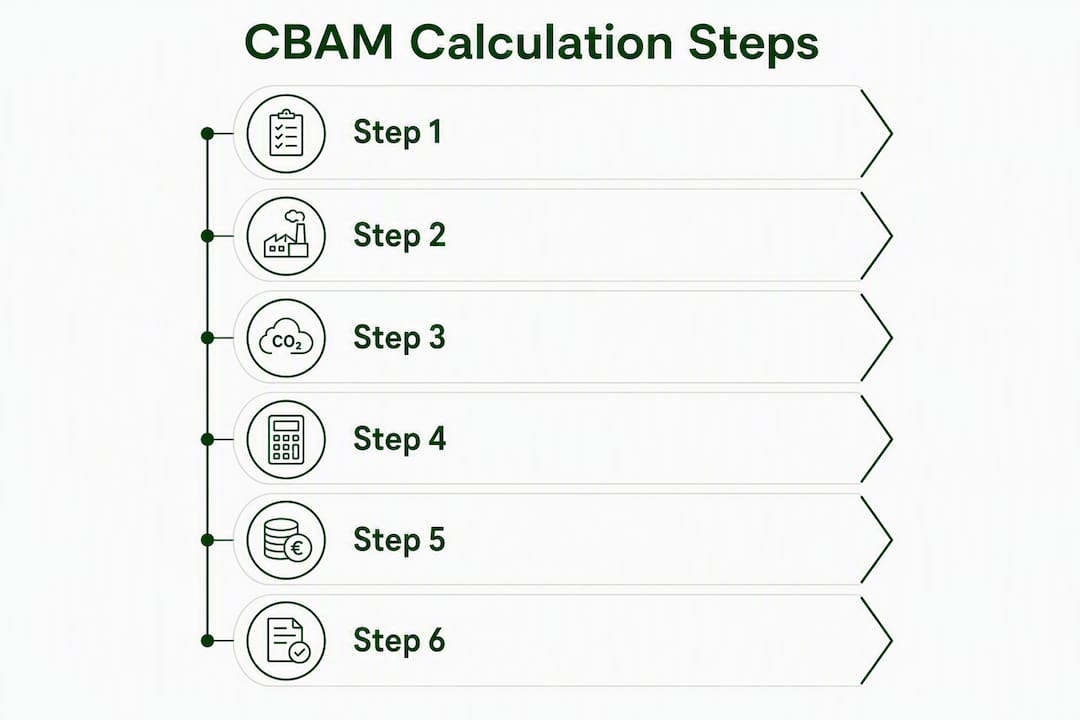
Step 5: Add precursor embedded emissions for complex goods. If the imported good is a complex good under Annex IV (for example, a steel pipe that uses hot-rolled coil as an input), you must add the SEE of each precursor, weighted by the mass of that precursor used per tonne of output.
Step 6: Divide by net production to get SEE, then multiply by imported tonnes. SEE (tCO₂e/t) = total attributed emissions ÷ net production (t). Total embedded emissions for the shipment = SEE × quantity imported.

Data fields to collect from suppliers and internal records
The table below shows what to request, what form the evidence should take, and what to do when a field is missing.
| Data field | What to request | Acceptable evidence | If missing |
|---|---|---|---|
| Installation identifier | Monitoring plan ID or EU ETS installation ID | Monitoring plan document | Cannot proceed without it; escalate to supplier |
| Fuel consumption | Quantity by fuel type (GJ or tonnes) | Fuel invoices, meter readings | Use Commission default values with markup |
| Electricity consumption | MWh consumed at installation | Meter readings, utility bills | Use country grid factor |
| Renewable electricity | PPA documentation | PPA contract with geographic and temporal correlation, additionality proof | Treat as grid electricity |
| Net production output | Tonnes of product produced in the period | Production records, weighbridge data | Estimate conservatively; document assumption |
| Verified SEE | tCO₂e per tonne of product | EU-accredited verifier report | Apply Commission default + markup |
| Precursor SEE | tCO₂e per tonne of precursor used | Precursor supplier’s verified SEE report | Use precursor default value |
| Carbon price paid in origin | Amount paid per tonne under origin-country carbon scheme | Official tax receipts, carbon price authority documentation | No Article 9 deduction applies |
Unit-conversion traps to watch: supplier data often arrives in kg rather than tonnes (divide by 1,000), and energy data may be in GJ rather than MWh (1 MWh = 3.6 GJ). The oxidation factor in direct-emission equations is typically 1.0 for natural gas and slightly below 1.0 for coal; confirm with the supplier’s monitoring plan rather than assuming.
Choosing the right emission factor: actual data vs. Commission defaults
The data hierarchy under Annex IV runs in a clear priority order, and the financial consequences of dropping down that hierarchy are real.
- Tier 1: Verified actual installation-level SEE. The supplier’s installation calculates emissions using its own monitoring plan, and an EU-accredited verifier confirms the figures. This is the only basis accepted for definitive declarations from 2027 onward. It is also the cheapest option in practice because no markup applies.
- Tier 2: Supplier-calculated but not-yet-verified data. Acceptable during the transitional period when the supplier has a monitoring plan in place and can provide supporting activity data. Document the monitoring plan ID and retain the underlying data files. Verification must be completed before the definitive declaration deadline.
- Tier 3: Commission default values. Published per CN code and country of origin under Implementing Regulation (EU) 2025/2621. Defaults carry a markup that increases over time, reflecting progressively higher costs from year to year. For a high-volume importer, the markup from 2028 can represent a significant avoidable cost annually.
Verification timing is the detail most teams underestimate. If verification is not complete by the declaration deadline, you revert to default values with the applicable markup, which can increase costs even if the underlying supplier data is solid. Build verification lead times into your supplier contracts now, not six weeks before the filing window closes.
For electricity emission factors specifically, the rules require measured MWh at the installation and the relevant grid emission factor, or documented PPA evidence with geographic and temporal correlation and additionality. A supplier claiming renewable electricity without a qualifying PPA gets treated as grid electricity for CBAM purposes.
Pro Tip: Standardize your supplier data request template before the first filing window. Include fields for the monitoring plan ID, the period covered, fuel and electricity activity data, and the verifier’s reference number. A consistent template cuts the back-and-forth that delays verification and pushes you toward defaults.
How to map your imports to CN codes and find the EU default values
The CN code on your customs import declaration is the starting point for every CBAM scope check and default-value lookup. Getting it wrong means either filing for goods that are out of scope or missing goods that are in scope.
- Pull the 8-digit CN code from the customs entry (box 33 on the EU Single Administrative Document, or the equivalent field in your customs broker’s system).
- Cross-reference it against Annex I of Regulation (EU) 2023/956 to confirm sector coverage. The annex lists covered CN codes by sector.
- For default SEE values, locate the Commission’s published default-value tables, which are organized by CN code and country of origin. The CBAM legislation and guidance page on the European Commission’s taxation and customs site is the authoritative download point.
- For electricity-related emission factors, Annex II factors (tCO₂e/MWh) apply when indirect emissions are required. These are country-specific and updated periodically.
- Keep a screenshot or PDF of the CN code lookup and the default-value table row alongside each import line in your filing records.
Common mapping mistakes: classifying a steel tube under a general steel CN code when a more specific code exists (and carries a different default SEE), or using an HS-6 code when the CBAM annex requires the full CN-8 digit level. A second common error is applying the wrong country-of-origin default when goods transit through a third country before EU entry. The country of origin for CBAM purposes is where the good was produced, not where it was last shipped from.
For ambiguous products, such as an aluminum alloy that could fall under two adjacent CN codes, document your classification rationale in writing and retain it with the import file. If customs later reclassifies the good, you will need to recalculate and potentially amend the declaration.
Complex goods and precursor emissions: the highest-risk calculation step
This is where most manual calculations fail. Treating a complex good as a simple good and omitting precursor emissions is the most frequent source of penalties and corrective adjustments.
Under Annex IV, a complex good is one that uses other CBAM-covered goods as input materials (precursors) during production. A steel pipe using hot-rolled coil is a classic example. The hot-rolled coil carries its own embedded emissions, and those must be included in the pipe’s SEE before you divide by net production.
- Identify all precursors. For each complex good, list every input material that is itself a CBAM-covered product. Request the installation-level SEE for each precursor from the relevant supplier.
- Weight by mass used per unit output. If producing one tonne of steel pipe requires 1.05 tonnes of hot-rolled coil, multiply the coil’s SEE by 1.05 to get the precursor contribution per tonne of pipe.
- Sum across all precursors. Add all weighted precursor SEEs together, then add the final installation’s own direct (and indirect, where applicable) emissions before dividing by net production.
- Use installation-level precursor SEE where possible. Product-level averages instead of installation-level figures are a common error and will not satisfy a verifier. If the precursor supplier cannot provide installation-level data, apply the Commission default for that precursor’s CN code with the applicable markup.
- Document the allocation method. When a supplier produces multiple products from shared inputs, you need a documented allocation rule (mass-based allocation is the most defensible default). Keep the allocation rationale in the import file.
Pro Tip: Build a precursor map for each complex good you import before the first filing. A one-page diagram showing each input material, its CN code, its source installation, and its SEE source (verified or default) saves hours of reconstruction later and gives a verifier exactly what they need.
The penalty exposure from omitting precursors is not theoretical. An uncovered tonne of CO₂e means a missing certificate, and verification typically enforces a 5% materiality tolerance. A large precursor chain omission will exceed that threshold and trigger corrective action.
Converting embedded emissions to CBAM certificates and estimating cost
Once you have SEE and total embedded emissions for a shipment, the path to a certificate count and a euro cost is two short formulas.
Certificate count: Certificates required = SEE (tCO₂e/t) × Quantity imported (t) × CBAM factor. In 2026, the CBAM factor starts at a low percentage reflecting the free EU ETS allocation still in place, then rises progressively over the years until reaching full allocation by 2034, greatly increasing certificate requirements over time. Subtract any Article 9 deduction for verified carbon price paid in the country of origin.
Euro cost: Estimated cost (€) = Certificates required × EU ETS price (€/tCO₂e). For 2026, use the Commission’s quarterly average ETS auction clearing price; from 2027, the price updates weekly. Build your budget model around the quarterly figure for now, but set up a price-watch process for the weekly cadence ahead of 2027.
The scenario table illustrates how different ETS price assumptions affect the estimated cost for an import shipment with fixed SEE, quantity, and CBAM factor, showing significant cost variability under different price scenarios. Scale that across a year of imports and the case for scenario planning is obvious. Model at least three ETS price paths each quarter, and run a parallel sensitivity showing what happens if your supplier’s SEE turns out to be 20% higher than the verified figure (or if you fall back to defaults with the markup).
Pro Tip: Set a calendar reminder for the Commission’s quarterly ETS price publication date and update your certificate-cost model within 48 hours. A stale price assumption at year-end can leave you short on certificates or holding excess ones you cannot easily liquidate.
Reporting timeline, file formats, and what the EU registry expects
The CBAM reporting calendar has two distinct phases, and the obligations in each are different enough that conflating them is a common compliance error.
- Transitional period (2024–2026): Quarterly reporting of embedded emissions with no certificate purchase required. Declarations cover the prior quarter and are submitted through the CBAM Transitional Registry. The focus is on data quality and getting supplier pipelines established.
- Definitive period (from 2026 imports onward): The first definitive declaration covering 2026 imports is due September 30, 2027. This declaration requires verified embedded emissions and triggers actual certificate surrender. Late or failed verification forces a revert to default values with the applicable markup.
- Annual holding requirement: By the end of each calendar year, importers must hold CBAM certificates equal to at least one-quarter of the annual obligation. The full surrender happens at the May 31 deadline following the declaration year.
For file formats, the CBAM registry expects declarations that include CN-code breakdowns by import line, country-of-origin evidence, embedded emissions per line (with the SEE and quantity shown separately), verification report reference numbers, and monitoring plan IDs. Export your declaration data in the registry’s accepted XML or CSV format; a PDF copy for your own records is good practice but does not substitute for the registry submission.
Audit-trail minimum: retain all supplier evidence files, verification reports, CN-code mapping screenshots, and calculation worksheets for at least five years. Index each file to the specific import line and quarter it covers. A verifier or customs authority asking for supporting evidence on a specific shipment should be able to get it in minutes, not days.
Worked numeric example: from shipment to certificate cost
Here is a complete calculation you can reproduce in a spreadsheet.
Import line: CN code 7208 51 (hot-rolled flat steel), origin Turkey, with a verified installation-level SEE.
Using the SEE and import quantity, calculate gross embedded emissions.
Apply the applicable CBAM factor to find certificates required, subtract any Article 9 deduction if applicable.
Multiply certificates by the current ETS price to estimate cost, which varies with ETS price scenarios.
Suggested spreadsheet layout:
- Column A: CN code
- Column B: Country of origin
- Column C: Quantity imported (t)
- Column D: SEE source (verified / default)
- Column E: SEE (tCO₂e/t)
- Column F: Gross embedded emissions (=C×E)
- Column G: CBAM factor (decimal)
- Column H: Certificates required (=F×G)
- Column I: Article 9 deduction (tCO₂e)
- Column J: Net certificates (=H−I)
- Column K: ETS price (€/tCO₂e)
- Column L: Estimated cost € (=J×K)
For a complex good, add columns for each precursor: precursor CN code, precursor SEE (tCO₂e/t), mass of precursor per tonne of output, and precursor contribution (precursor SEE × mass ratio). Sum precursor contributions into a subtotal and add it to the installation’s own emissions before populating column E.
If your supplier updates their verified SEE after initial submission, re-run the calculation from column E onward and file an amended declaration if the change is material. Keep both the original and amended worksheets in your records.
Operational checklist: supplier requests, files to store, and red flags
Supplier request template: send this to every non-EU producer before the filing window opens.
- Installation name and address
- Monitoring plan ID (EU ETS or equivalent)
- Verified SEE (tCO₂e/t) for the specific product and CN code, with the period covered
- Fuel consumption by type (quantity in GJ or tonnes)
- Electricity consumption (MWh) and source (grid or PPA)
- PPA documentation if renewable electricity is claimed (contract, geographic and temporal correlation evidence, additionality proof)
- Verifier name, accreditation body, and report reference number
- For complex goods: SEE of each precursor input, with source installation and period
File checklist per import line:
- Customs import declaration (with CN code highlighted)
- CN-code mapping screenshot or annex reference
- Supplier evidence package (all items from the request template above)
- Verification report or, if using defaults, the Commission default-value table row with the CN code and country of origin identified
- Completed calculation worksheet (spreadsheet or platform export)
- Declaration export file (XML/CSV) as submitted to the registry
Red flags to stop submission:
- SEE figure is implausibly low compared to the Commission default for that CN code and country (a verified SEE more than 40% below the default warrants a second look)
- Complex good with no precursor emissions listed
- Missing verifier reference number on a declaration that claims verified actuals
- Unit inconsistency in supplier data (e.g., emissions reported in kg CO₂ rather than tCO₂e)
- Electricity claimed as renewable with no PPA documentation
If a red flag appears: contact the supplier immediately for replacement data. If replacement data cannot arrive before the deadline, switch to Commission default values, document the reason in the declaration file, and note the fallback explicitly. Do not submit with a known data gap and no documented resolution.
Internal roles: assign one person to own supplier outreach and evidence collection, a second to own verification tracking and deadline management, and a third (or the same compliance officer) to own the final registry export and submission sign-off. Ambiguous ownership is the most common reason declarations miss deadlines.
How CarbonOps supports this workflow for US importers
CarbonOps operationalizes the steps above without requiring a platform deployment, a procurement cycle, or a sensor rollout. The workflow maps directly onto the calculation procedure described in this guide.
- Connect: enter each shipment with its HS/CN code, mass, and country of origin. Supplier data is validated and queued against the current CBAM filing window.
- Monitor: the platform tracks each importer’s quarterly declaration status, surfacing pending, complete, and ready-to-review rows as imports come in.
- Optimize: where supplier-specific embedded emissions are missing, CarbonOps applies the Commission’s published default values per CN code automatically, keeping the declaration complete and reviewable without manual lookup.
- Monetize: the completed declaration exports in the format the EU CBAM registry expects, ready for review and submission, with filing history retained.
For US importers managing multiple import lines across several suppliers, the default-value fallback and CN-code mapping support reduce the risk of last-minute scrambles when supplier data arrives late or incomplete. Verification-report tracking keeps the evidence chain indexed to each import line, which is exactly what auditors ask for. Certificate cost estimates update as ETS prices change, so your budget model stays current without manual recalculation.
Key Takeaways
Accurate CBAM embedded emissions calculation requires verified installation-level SEE, correct CN-code mapping, and precursor emissions for complex goods, with the CBAM factor and EU ETS price determining the final certificate cost.
| Point | Details |
|---|---|
| Core formula | SEE × quantity × CBAM factor, minus any Article 9 deduction, gives your net certificate obligation. |
| Default value cost | Defaults carry a 10% markup in 2026, rising to 30% from 2028; verified supplier data avoids this cost. |
| Complex goods risk | Omitting precursor embedded emissions is the most common calculation error and the most frequent source of penalties. |
| ETS price volatility | Model low, medium, and high ETS price scenarios each quarter; the Commission publishes quarterly averages in 2026, switching to weekly from 2027. |
| Automate with CarbonOps | Climastry’s CarbonOps platform applies default values per CN code, tracks verification status, and exports registry-ready declaration files. |
What first-year CBAM filers consistently get wrong
The teams that struggle most in their first declaration year share a pattern: they underestimate how long supplier data collection actually takes. A supplier who has never filed under EU ETS has no monitoring plan, no installation identifier, and no concept of what a verifier report looks like. Sending a data request two weeks before the filing deadline produces nothing useful.
The fix is to treat supplier onboarding as a procurement activity, not a compliance task. Lock down installation identifiers and monitoring plan IDs before the quarter starts. Get a draft verification engagement letter signed before the quarter ends. The verification process itself, including an on-site audit in the first year, takes longer than most compliance officers budget for.
The second consistent failure is unit errors. Emissions arriving in kg CO₂ instead of tCO₂e, energy data in GJ when the formula expects MWh, production output in pieces rather than tonnes. A unit-check column in your spreadsheet catches these before they reach the registry.
On ETS price exposure: most teams model one price and call it done. The spread between a €45 and a €90 ETS price on a year of imports is not a rounding error. Build the three-scenario model, share it with finance, and set a quarterly review cadence. The teams that do this avoid the unpleasant conversation where the compliance officer explains to the CFO why the CBAM line item is twice the budget.
CarbonOps handles the calculation so you can focus on the filing
Filing a CBAM declaration without a structured workflow means rebuilding the same spreadsheet every quarter, chasing the same suppliers for the same data, and manually looking up default values that change with each Commission update. That is time your compliance team does not have.
CarbonOps gives US importers a faster path: enter the shipment, supply the supplier data, and get a registry-ready declaration back. The platform applies Commission default values per CN code when supplier data is missing, tracks verification status across import lines, and exports in the format the EU CBAM registry expects. No deployment, no subscription lock-in, and no sensor rollout required.
Visit climastry.com to see how CarbonOps handles the data intake, default-value fallback, and registry export for your next quarterly filing.
Primary sources and official guidance
- Regulation (EU) 2023/956: the founding CBAM regulation, including Annex I (covered goods) and Annex IV (calculation methodology)
- Implementing Regulation (EU) 2025/2547: the December 2025 implementing rules for embedded-emissions calculation methods
- European Commission CBAM legislation and guidance page: download point for default-value tables, guidance documents, and regulatory updates
- CBAM registry and reporting: official registry portal, file-format specifications, and submission guidance
- Combined Nomenclature (CN) lookup tool: verify 8-digit CN codes for scope checks and default-value lookups
- European Commission CBAM overview: policy background, sector coverage, and timeline milestones
- CBAM Guidance PDF (European Commission): detailed technical guidance on direct and indirect emissions, electricity factors, and monitoring requirements
- Archive your verification report reference numbers and the installation monitoring plan as primary evidence; these are the first documents a verifier or customs authority will request.