CBAM Declaration Template Guide for EU Importers

CBAM Declaration Template Guide for EU Importers
The fastest way to a filing-ready CBAM declaration starts with two official files: the European Commission’s Excel-based annual emissions report template, used to collect data from your supplier or operator, and the CBAM report XSD, which defines the XML structure the CBAM Registry actually accepts. Both live on the Commission’s taxation and customs union site, alongside the guidance documents that explain how to use them.
The shortest real workflow looks like this: download the template, map your shipment lines to its fields, validate the structure against the XSD, export the XML into a ZIP with attachments, then submit through the CBAM Declarant Portal. Each step has its own failure points, which is why most first-time filers lose hours to formatting errors rather than the actual emissions math.
Pro Tip: Keep every version of your filled template, not just the final one. The Commission’s electronic template automates many calculations once you enter the right inputs, but if a number looks off six months later, you’ll want the earlier draft to trace where it changed.
Key Takeaways
A filing-ready CBAM declaration comes from using the Commission’s official template and XSD, mapping shipment data precisely, and validating structure before submission through the Declarant Portal.
| Point | Details |
|---|---|
| Start with official files | Download the Commission’s Excel template and registry XSD rather than a generic spreadsheet. |
| Map every field precisely | Match CN code, mass, country of origin, and operator ID to avoid the most common rejections. |
| Document default values | Record the source and calculation whenever you use Commission defaults instead of supplier data. |
| Test before full submission | Upload a small sample ZIP to catch schema and unit errors before filing the whole quarter. |
| Consider a dedicated tool | CarbonOps automates the mapping, default-value logic, and export into registry-ready XML. |
Official CBAM Downloads and Guidance
- Guidance No. 3 on emissions calculation methods covers template automation.
- The CBAM legislation and guidance hub lists all templates and Guidance Nos. 1 through 5.
- The Declarant Portal manual includes the XSD, sample ZIP, and upload steps.
Table of Contents
- Which CBAM Templates Do You Actually Need?
- How Do You Fill Out a CBAM Declaration Step by Step?
- Mapping Shipment Data to Template Fields
- Validating and Submitting to the CBAM Declarant Portal
- When Supplier Emissions Data Is Missing
- Turning Import Data Into a Filing-Ready Declaration With CarbonOps
- Need a Filing-Ready Declaration Without the Manual Work?
- Frequently Asked Questions
- Sources
Which CBAM Templates Do You Actually Need?
Several files circulate under the “CBAM template” label, and using the wrong one wastes a filing cycle. Here’s what each one actually does.
- Operator annual emissions report (Excel): the core file your supplier or overseas operator fills out with activity data and embedded emissions, built around Annex IV of the CBAM Implementing Regulation.
- Public-facing summary: a simplified version operators can share without exposing sensitive cost or production data.
- Declarant-specific addendum: carries confidential figures, most notably electricity consumption data, that the operator shares only with the importer filing the declaration.
- Communication Template for Installations (CTI): the standard format installations use to send their emissions data back to importers, so everyone in the supply chain is working from the same fields.
- CBAM report XSD and sample ZIP: the registry-side schema and example file used to build a valid XML submission.
Use the Excel files to gather and check data before submission. Use the XSD only at the final export stage, once your numbers are settled.
How Do You Fill Out a CBAM Declaration Step by Step?
The short version: collect supplier data, harmonize the fields, calculate embedded emissions, populate the template, validate it, then export. Here’s the fuller sequence.
- Confirm scope. Check that your goods fall under Annex I, match the correct CN/HS code, and exceed the 50-tonne per shipment de minimis threshold before you spend time on a full workup.
- Request operator data. Ask your supplier for activity level and attributed emissions figures using the Communication Template for Installations, so the numbers arrive already formatted for your report.
- Choose your data basis. Use actual supplier-reported emissions when available; fall back to Commission default values only when they genuinely aren’t.
- Standardize units. Emissions belong in tonnes of CO2 equivalent (tCO2e), activity levels in the unit specified by the sector annex. Mixed units are the single most common source of rejected filings.
- Populate the template. Enter one row per shipment line, matching CN code, mass, country of origin, and operator identifier exactly as they appear in your customs paperwork.
- Validate before exporting. Run the filled data against the registry XSD structure before you attempt a full submission.
Quarterly reports cover a calendar quarter and must come from an authorized declarant, as defined under the CBAM Implementing Regulation. Missing that window means a late filing, not a skipped one.
Pro Tip: Save a dated copy of every template version and keep the final export ZIP with its attachments together. If the Registry ever asks you to justify a figure, you want the whole submission package, not just the number in isolation.
Mapping Shipment Data to Template Fields
Every shipment line becomes one template row, identified by CN/HS code, net mass, country of origin, and the supplier or operator’s identifier. Get that four-field combination wrong and everything downstream breaks.
The fields you’ll fill most often are shipment line ID, CN code, quantity or weight, country of origin, operator ID, activity level, attributed emissions in tCO2e, and any carbon price already paid abroad. Most of these come straight from your customs declaration or purchase order; activity level and attributed emissions come from the operator’s report or, absent that, from Commission defaults.
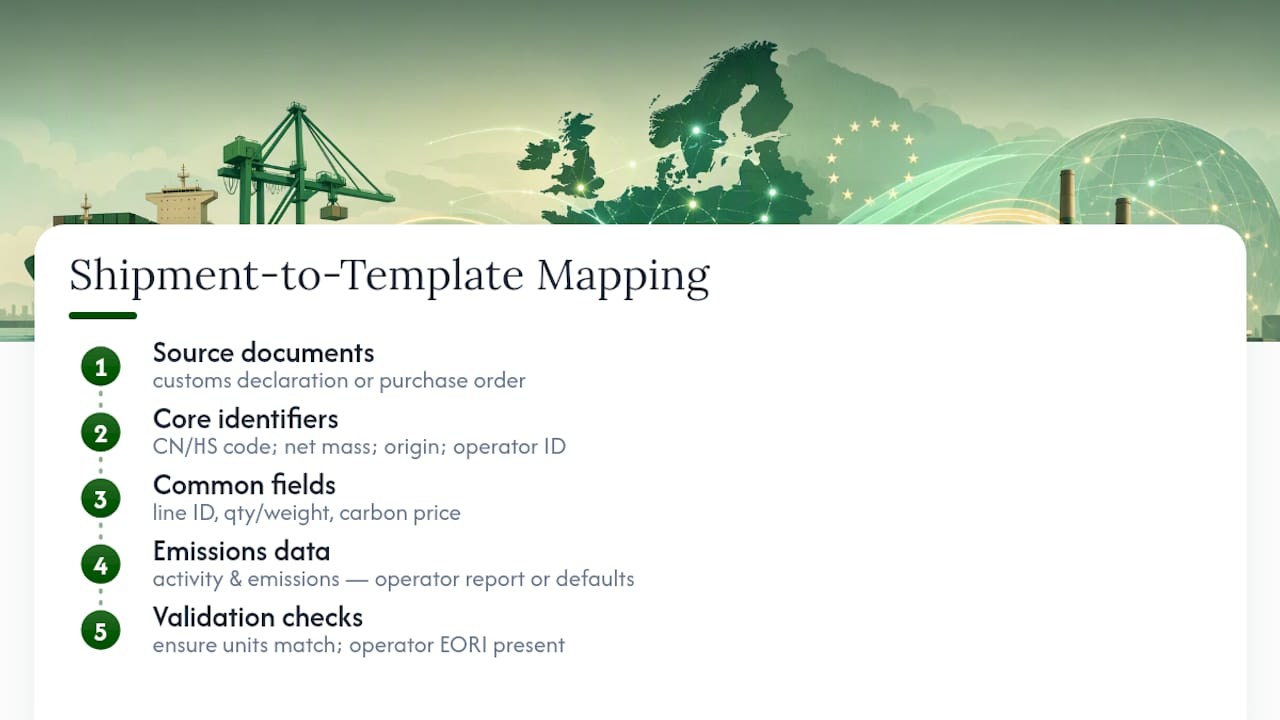
Picture a single row: a shipment of 42 tonnes of hot-rolled steel coil, CN code 7208 10 00, sourced from a mill in Vietnam, tied to operator ID VN0042. The operator’s emissions report lists 1.9 tCO2e per tonne, so the row’s attributed emissions field reads 79.8 tCO2e. Simple, as long as every field lines up.
The two mistakes that cause the most rework: mismatched units between what the operator reported and what the template expects, and missing EORI numbers that make operator lookups fail entirely in the Registry.
Validating and Submitting to the CBAM Declarant Portal
Final submissions must conform to the CBAM report XSD and get uploaded as XML, packaged in a ZIP with required attachments, through the CBAM Declarant Portal. There’s no shortcut around the schema. It’s the only format the Registry accepts.
The Declarant Portal manual includes the XSD and a sample ZIP so you can check your file’s structure before creating a live report for the quarter. The portal enforces one report per quarter, so a rejected upload doesn’t cost you a slot as long as you resubmit before the deadline.
Most rejections trace back to three causes: a required element left blank, a unit mismatch between the template and the schema, or malformed XML from a manual edit after export. Fix the first two by rechecking your field mapping; fix the third by re-exporting rather than hand-editing the XML file.
Pro Tip: Upload a small test file with two or three shipment lines before you submit the full quarter. The portal’s guidance materials walk through authentication and upload steps, and a small test catches structural errors without burning your one report for the period.
When Supplier Emissions Data Is Missing
Use the Commission’s published default values when supplier-specific monitored data isn’t available, but document why you used them and how you calculated the resulting figure. An unexplained default value is a bigger audit risk than a supplier number you had to estimate.
Build an audit-ready file that includes:
- The specific default value source and the date you pulled it.
- Screenshots or exports of the calculation itself.
- Any reference to the operator’s monitoring plan, if one exists.
- EORI numbers linking each shipment to its declarant record.
- Versioned backups of every template you filled, not just the final one.
Pro Tip: Keep this filing history outside the Registry entirely. The Registry is a submission channel, not a records system, and Commission guidance on the Registry is explicit that internal recordkeeping is the declarant’s responsibility.
Turning Import Data Into a Filing-Ready Declaration With CarbonOps
CarbonOps runs the same workflow described above in four steps: enter each shipment with its HS/CN code, mass, and country of origin; match every line to its CBAM CN code and sector; apply Commission default values wherever supplier-specific emissions are missing; then export the completed declaration in registry format.
- Cuts the manual mapping work that eats most of a filing cycle.
- Applies default values with traceable reasoning instead of guesswork.
- Handles unit conversion automatically, avoiding the tCO2e mismatches that cause rejections.
- Produces a registry-ready export plus a retained audit trail.
Pro Tip: If you’re filing for the first time, run one shipment batch through before committing to a full quarter. It’s the fastest way to see whether your supplier data is complete enough to skip default values.
A Filing Veteran’s View: Fix Data Gaps Before Anything Else
The fastest compliance wins come from cleaning supplier data and getting CN codes right before you touch the template at all. Chase activity-level figures and operator identifiers first. They’re what stall filings longest. If a supplier goes quiet near the deadline, file with a documented default value rather than wait past the quarter.
Need a Filing-Ready Declaration Without the Manual Work?
If you’ve read this far, you’ve probably noticed the workflow is straightforward but unforgiving. One wrong unit or missing EORI number, and you’re re-exporting XML the night before a deadline. CarbonOps exists for importers who’d rather skip that risk entirely.
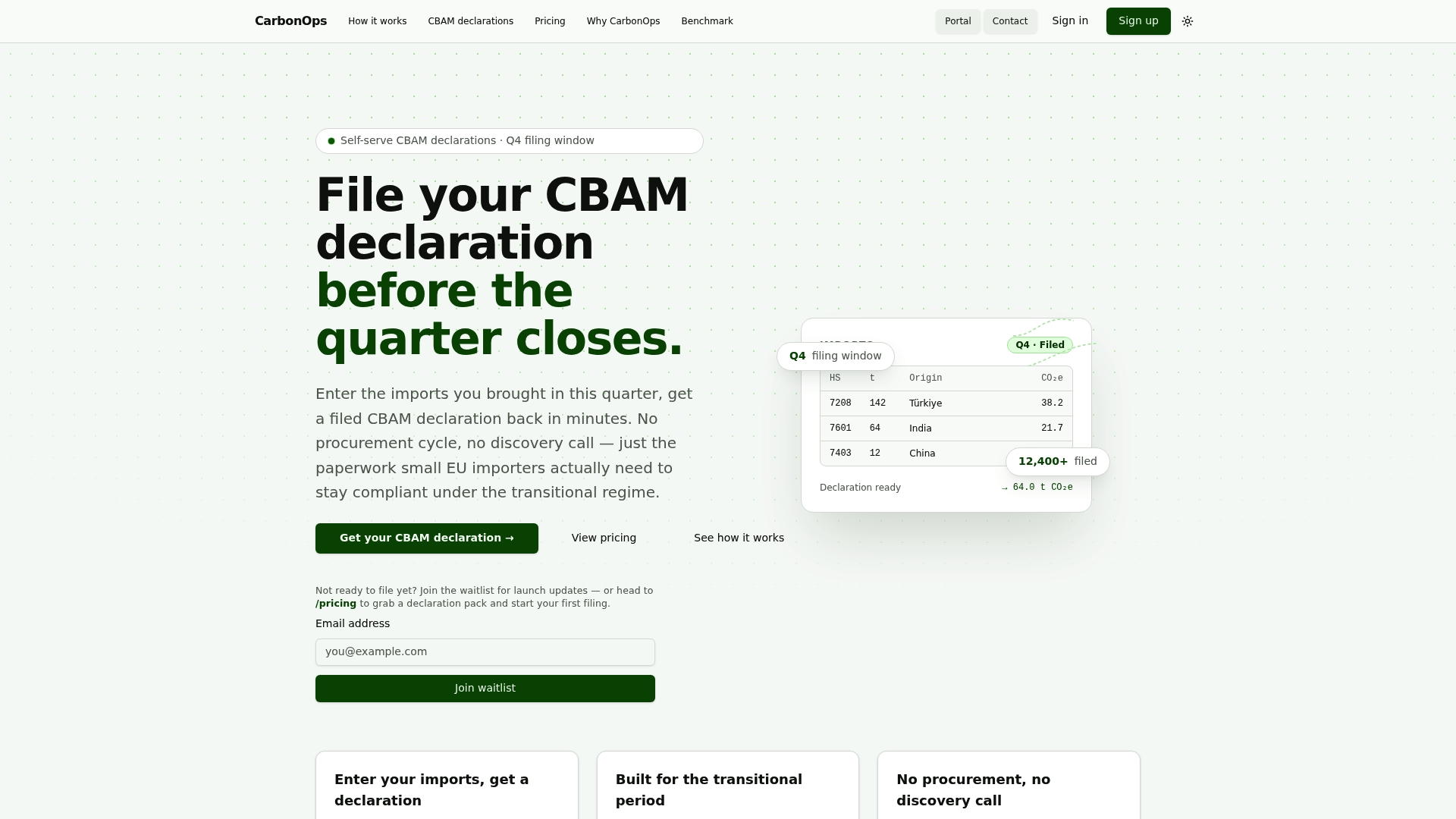
Enter your shipment data once and CarbonOps handles the CN code matching, applies Commission default values with a documented basis when supplier data is missing, and exports a validated, registry-ready declaration with a full audit trail. Pricing is one-time and pay-per-declaration, with 5 and 15-filing packs available if you’re covering multiple quarters or multiple shipments, and no subscription to manage. Get your CBAM declaration filed with a single upload instead of a spreadsheet marathon.
Frequently Asked Questions
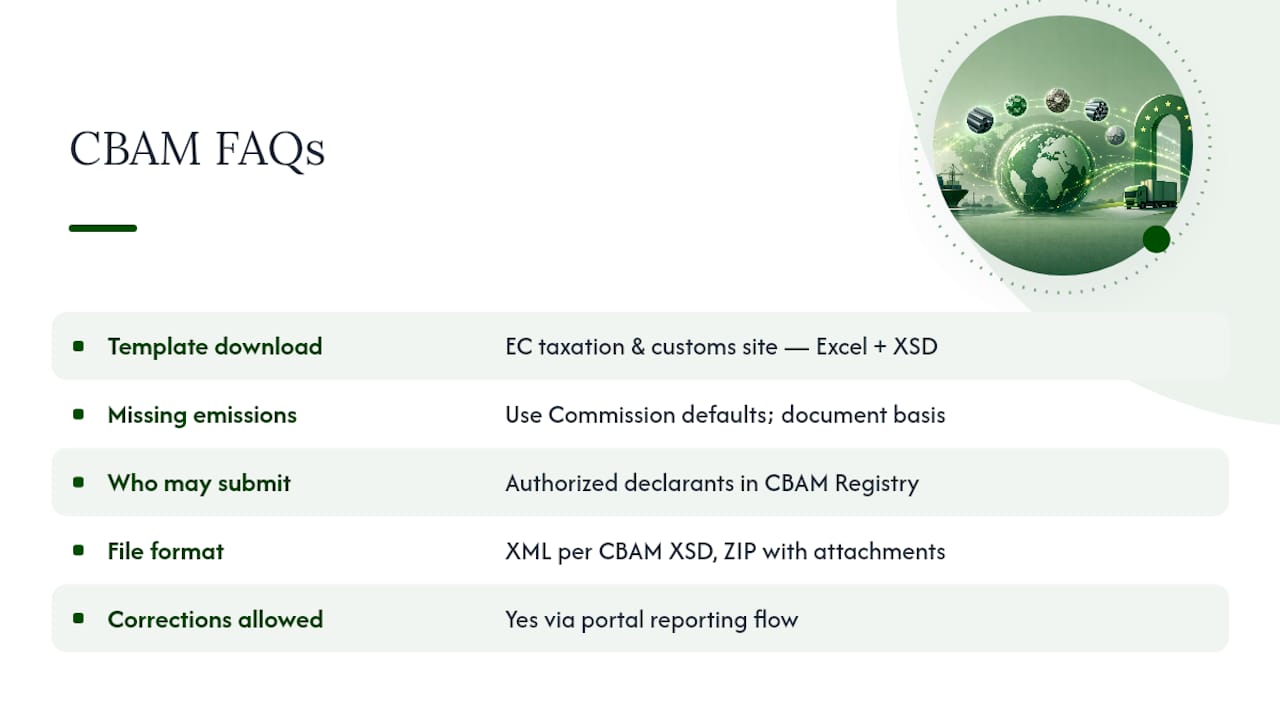
Where do I download the official CBAM declaration template? The European Commission’s taxation and customs union site hosts the Excel annual emissions report template and the CBAM report XSD, both linked from the CBAM legislation and guidance page.
Can I fill out a CBAM declaration without supplier emissions data? Yes. Use the Commission’s published default values in that case, but document the source and calculation basis so the figure holds up under review.
Who is allowed to submit a CBAM declaration? Only authorized declarants registered in the CBAM Registry may submit quarterly reports, as defined under the CBAM Implementing Regulation.
What file format does the CBAM Declarant Portal require? XML built to the CBAM report XSD, packaged in a ZIP with required attachments, uploaded through the Declarant Portal.
Can I correct a CBAM declaration after submitting it? Yes, corrections are handled through the portal’s reporting flow for that quarter; keep your original template and calculation records so you can trace exactly what changed.
Is there software that fills out the CBAM declaration template for me? Tools like CarbonOps take raw shipment and supplier data and produce a validated, registry-ready export, handling CN code matching and default-value logic without manual template entry.
Sources
- GUIDANCE NO. 3 - CBAM methods for the calculation of emissions embedded in goods
- CBAM Registry - Taxation and Customs Union - European Commission
- CBAM Declarant Portal user manual (Declarants) - Taxation and Customs Union